task-ops
When a Kanban Whiteboard Stops Working: Moving the Board Online
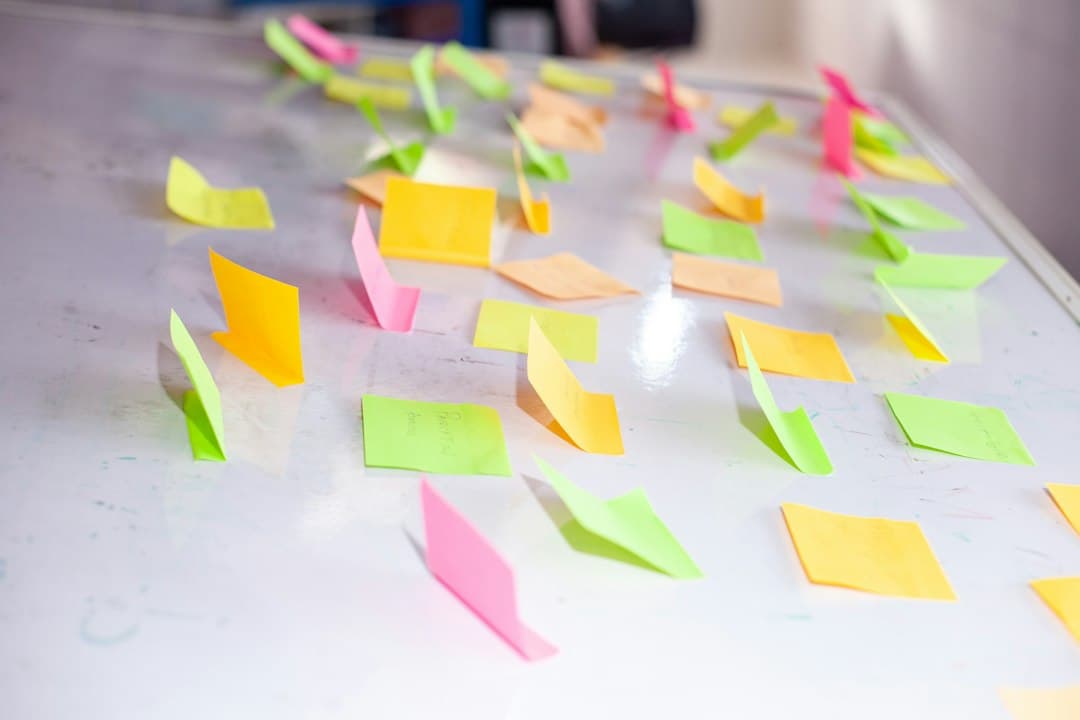
The board on the wall worked for eight months. Three columns, a stack of sticky notes, a marker on a string. Nobody needed training and nobody needed a login. Then two people started working from home on Wednesdays, a client asked what had shipped last month, and the middle column grew a second layer of notes stuck on top of the first. Nothing broke loudly. The board simply stopped being the place where the truth about the work lived, and started being a decoration that was usually about four days out of date.
That is the decision point most teams reach with a kanban whiteboard. The question is not whether physical boards are good. They are, at specific things, and some of those things are hard to get back once the wall is empty. The question is which of those strengths the team actually depends on, and which of the failures it has already been quietly working around.
What the whiteboard is genuinely better at
It helps to name the strengths precisely, because a replacement that ignores them gets abandoned in a fortnight.
Nobody has to choose to look at it. A board on a wall is in peripheral vision all day. An online board is behind a tab, and a tab has to be opened. This is the single largest difference, and it is the one most migrations underestimate. Ambient visibility is why a physical board catches a stalled card in two days while the same card can sit unnoticed for two weeks in software.
Beyond that, the physical board has three smaller advantages. Moving a note with a hand is faster than any interface, so people update it during a conversation rather than afterwards. Physical space imposes a limit, because a column only holds so many notes before it looks absurd, which is a work in progress limit that enforces itself without anyone configuring one. And standing up together in front of a wall produces a different quality of conversation than staring at a shared screen, for reasons that have nothing to do with software.
A physical board also has no account management, no permissions, no cost, and no vendor. For a co-located team of four doing one kind of work, it is often still the right answer, and the honest advice is to keep it.
The four failures that force the move
Almost every team that abandons a whiteboard hits some combination of the same four problems.
Anyone not in the room is not on the board. This is usually the trigger. One remote day a week is survivable with a photograph in chat. Two people permanently remote is not, because the board becomes a secondhand account for part of the team, and a secondhand account is always slightly wrong.
A sticky note cannot hold the work. A card with a specification, three screenshots, a decision thread and a checklist does not fit on a square of paper. Teams handle this by writing a reference to somewhere else, and the moment the real content lives elsewhere, the board becomes an index rather than the work.
There is no history. When a note is moved, the previous state is gone. Nobody can answer how long cards spend in review, what shipped last month, or who changed the due date, because nothing was ever recorded. Retrospectives run on memory instead of evidence.
One board cannot show the same work three ways. The cards on the wall are a flow. The same work also has dates, and often a schedule of who is on what. A physical board can be a kanban, or a calendar, or a timeline, but not all three at once, so the second view gets rebuilt in a spreadsheet and the two drift apart within a month.
Notice that three of these four are about the work outgrowing paper, not about people being remote. A co-located team can need the move as much as a distributed one.
What is lost in the move, and how to get it back
The strengths above do not transfer by themselves. Each has to be deliberately rebuilt, and teams that skip this part usually conclude that the tool failed.
| What the wall gave you | What happens online by default | How to restore it |
|---|---|---|
| Ambient visibility | The board is behind a tab and goes unread | Put the board on a wall display or a spare monitor, and open it at the same time every day |
| Self enforcing limits | Columns grow without limit and nothing objects | Set a number per column and treat exceeding it as a problem to discuss |
| Instant updates | Cards get updated after the conversation, or not at all | Move cards during the standup, on the shared screen, while people are watching |
| Standing together | The meeting becomes a status report read from a screen | Keep the meeting standing and short, with the board driving it rather than a person |
The first row is the one that matters. A cheap display showing the board in the room where the team sits recovers most of what the wall provided, and it costs less than a month of most subscriptions. Teams that do this rarely report missing the physical board. Teams that do not, often do.
Work in progress limits deserve one more sentence. On a whiteboard the limit is physical and therefore honest. Online, a column can hold forty cards and still look tidy, which is precisely why the stalled work becomes invisible. Choosing a number per column and actually stopping when it is hit is the discipline that a wall used to provide for free.
What to check before choosing a tool
Most kanban tools look identical in a screenshot. The differences that matter appear in the second month.
Can the card hold the whole job? Description with formatting and images, checklists, attachments, comments, and fields the team defines. If any of that has to live somewhere else, the board becomes an index again, which is the problem that started this.
Can the same cards be seen as something other than a board? The same work usually needs a dated view and, for teams with shifts or allocations, a view of who is on what. If a second view means a second copy of the data, the copies will disagree.
Is there a record of what happened? Card history, an activity log, and the ability to see how long something sat where it sat. Without it, the online board reproduces the whiteboard's weakest point while removing its best one.
Does the discussion live with the card? If the board is in one application and every conversation about the board is in another, people read the conversation and not the board.
What happens at your team size? This is where plans diverge sharply, and the numbers are worth checking rather than assuming. Trello's free plan is free for up to ten collaborators per Workspace, with unlimited cards and up to ten boards per Workspace, and its Standard plan is priced per user per month. Other tools place the free ceiling at a smaller number of people, or keep specific views out of the free tier entirely. Read the free plan's limits as a description of when the bill starts, not as a promise, and check whether the views you need are inside it. A side by side comparison of how the common tools draw those lines is a faster way to do this than opening seven pricing pages.
Does it work on a phone browser? Not because anyone plans to run a project from a phone, but because checking and commenting on the way somewhere is what keeps the board current.
Moving the board without losing a week
The migration itself is small if it is scoped correctly. The mistake is trying to transcribe history.
Photograph the board first. Both as a record and because the photo is the only copy of the layout once the notes come down.
Move only what is in flight. Cards in the active columns, plus anything in the backlog that is genuinely next. Everything else is archaeology. A backlog of sixty paper notes nobody has read in four months does not become more useful for being typed in.
Keep the column names. The columns encode how the team actually works, including the awkward ones like waiting on client. Renaming them to match a template's defaults is how a board stops matching reality on day one.
Write the entry condition for each column somewhere visible. What makes a card ready to move into review, and what makes it done. On a whiteboard this lived in people's heads because the team was standing next to each other. Online it needs writing down once.
Run both for one week, then take the wall down on a named day. Two boards running in parallel indefinitely guarantees that neither is trusted. A week is enough to find the gaps, and a date makes the switch real. If the existing board is already in another tool rather than on a wall, check what an import actually carries across before recreating anything by hand, because cards, labels, checklists, attachments and comments do not all move in every case.
One person should own the board for the first month. Not to police it, but because every new board needs a handful of small decisions made consistently, and a board where everyone guesses the conventions becomes untrusted faster than one with a slightly wrong convention applied evenly.
Keeping it alive after the first month
Three failure patterns show up reliably, and all three are visible early.
The first is a column that only grows. Usually it is review, or something named waiting. If the number of cards in it has not gone down in two weeks, the constraint is there, and adding people to the columns before it makes the board worse rather than better.
The second is cards that never move but get edited. A card whose description has been revised four times while it stays in the same column is stalled work wearing the appearance of progress. The history that a physical board lacked is what makes this visible, so it is worth actually looking at.
The third is the board quietly becoming one person's list. If only the lead moves cards, the team has reverted to reporting status to a manager who transcribes it, which is the pattern the board existed to replace. The fix is procedural rather than technical: the person who owns a card moves the card, during the meeting, while everyone watches.
What to change first
Put a photograph of the current board in chat, then move only the cards that are in flight into one online board, keeping the column names exactly as the team already says them. Set a number limit on the busiest column, and put the board on a screen in the room so nobody has to choose to look at it. If the team also needs the same cards as a schedule, and the discussion in the same place rather than a separate application, Pinateca is free for up to five people and ten boards.
Q1. Is a physical kanban whiteboard still worth using?
For a small team that sits together and does one kind of work, yes. It is faster to update, needs no accounts, and stays in everyone's peripheral vision all day, which catches stalled work sooner than software usually does. It stops working when part of the team is not in the room, when cards need to hold documents and threads, or when anyone needs to know what the board looked like last month.
Q2. What is the biggest thing lost when a kanban board moves online?
Ambient visibility. A wall is seen without anyone deciding to look at it, while an online board sits behind a tab. The most effective fix is to put the board on a spare monitor or wall display in the room and to open it at a fixed time each day, which recovers most of the effect for very little money.
Q3. Should the backlog on the wall be transcribed into the new board?
Only the part that is genuinely next. Old paper notes that nobody has read for months do not become more useful once typed in, and a long imported backlog makes the new board feel cluttered in its first week. Photograph the wall so nothing is lost, then move the cards in flight and the next few items.
Q4. How many columns should a kanban board have?
Enough to name the real stages the work passes through, including the uncomfortable ones such as waiting on a client or waiting on review. Copying a three column template when the team actually has five stages hides the exact place where work is stalling. Keep the names the team already uses out loud.
Q5. How do work in progress limits work once the board is digital?
They have to be set as a number and agreed on, because a digital column will hold any quantity of cards without looking full. A physical board enforced a limit through lack of space, and that enforcement disappears in the move. Pick a number per column, make it visible, and treat going over it as something to discuss rather than something to allow.