The API is not something bolted onto Pinateca afterwards. It is the same door the screen uses, opened outward. The spec is published as OpenAPI 3.1, so handing that URL to an AI or an automation tool is enough for it to work out how to call it.
https://pinateca.com/api/openapi.json
Issue a token
Tokens are issued from API tokens in the workspace settings. Issuing and revoking are the only places we ask for your password again. A token is shown once, right after it is issued, so copy it then.
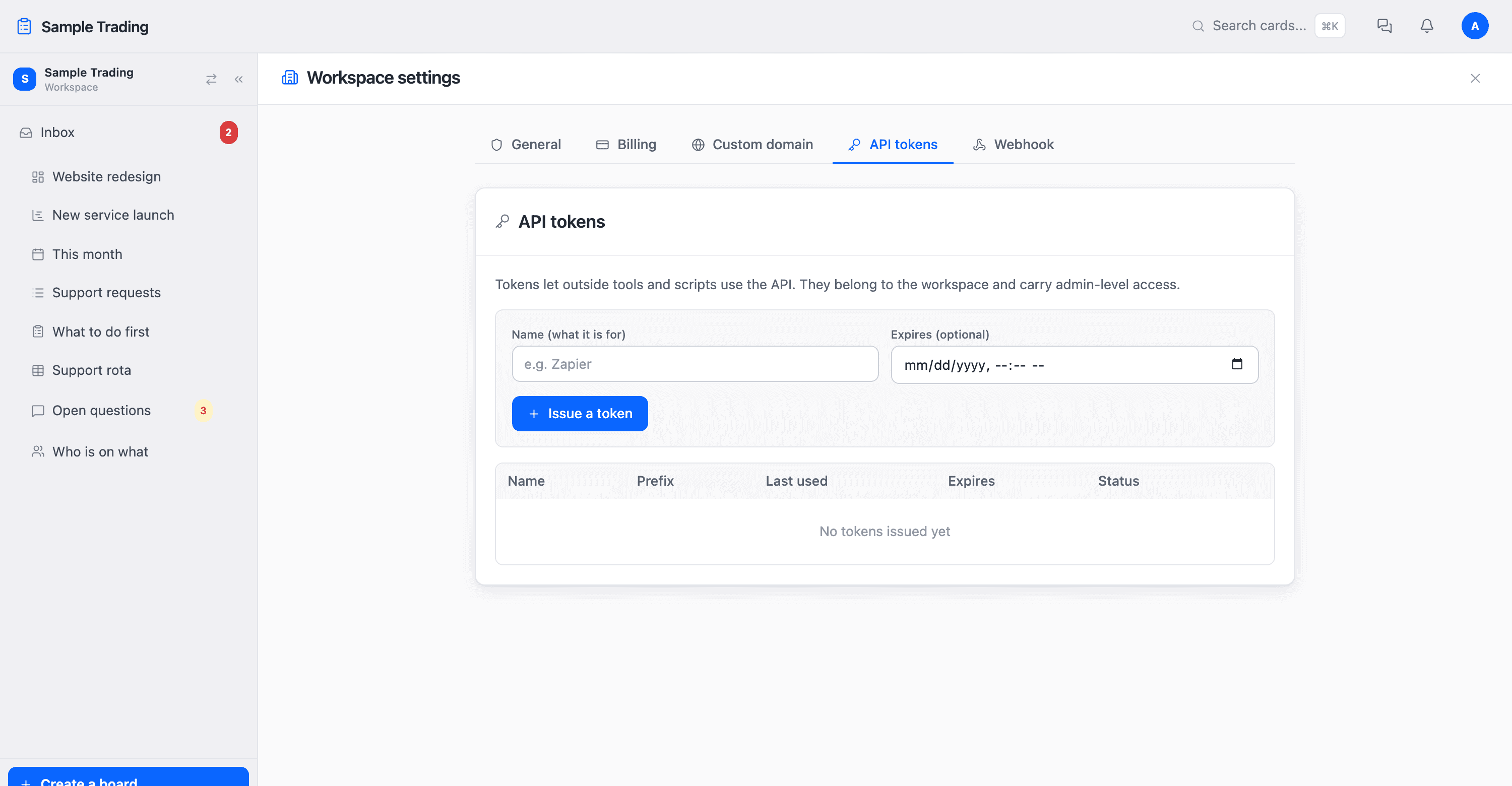
- Only the owner can issue oneTokens belong to a workspace, and carry the same rights as an admin.
- They can expireFor a short lived integration, set an expiry. A token that has passed it stops working on its own.
- They can be revoked at any timeIf you think one has leaked, turn it off on the spot.
Making a request
The base is https://pinateca.com/api. Put your token in the Authorization header.
curl https://pinateca.com/api/boards \
  -H "Authorization: Bearer kbn_xxxxxxxxxxxx"
To add a card:
curl https://pinateca.com/api/cards \
  -H "Authorization: Bearer kbn_xxxxxxxxxxxx" \
  -H "Content-Type: application/json" \
  -d '{"listId": 123, "title": "Send the quote"}'
Responses are plain JSON with no wrapper, so you can use them as they are. When something fails, the reason comes back. {"error": "..."}
What it covers
The exact shape of every endpoint, what it takes and what it returns, is in the API reference. That page is generated from the spec itself, so it never drifts from the real endpoints.
| Object | What you can do |
|---|---|
| Boards | List, read one with its lists and cards, create, update, archive, reorder |
| Cards | Create, read, update, delete, reorder, and move between lists |
| Lists (cells) | Update the name and the attached information |
| Grid and timetable | Read the columns and rows |
| Gantt chart | Read tasks, update their spans, reorder them |
| Custom fields | Create and delete fields, read every value on a board, set the value on a card |
Using it from an AI
ChatGPT and Claude connect when you enter the Pinateca address, sign in, and allow access. There is no token to create or paste.
- ChatGPTIn Settings, open Plugins and turn on developer mode, then use Add to create an app that uses an MCP server. Enter
https://pinateca.com/mcpas the URL and choose OAuth for authentication. According to OpenAI's help center, full MCP support including write actions is in beta for Business, Enterprise, and Edu plans. - Claude (claude.ai and Claude Desktop)Open Customize, go to Connectors, click + Add, choose Add custom connector, and enter
https://pinateca.com/mcpas the URL. - Claude CodeAdd it with
claude mcp add --transport http pinateca https://pinateca.com/mcp, then sign in from/mcp. - Allow it in PinatecaWhichever AI you connect from, the Pinateca sign-in page opens. Sign in, choose the workspace to connect, and press Allow. That is all.
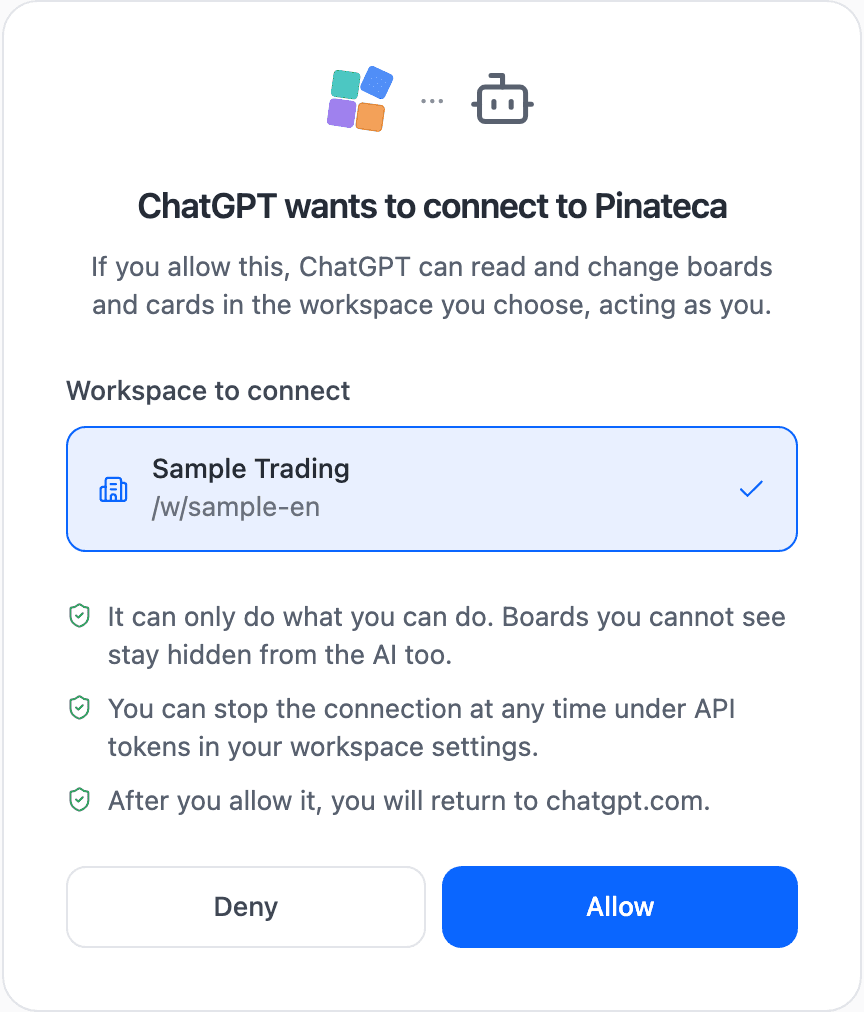
An AI connected this way can only do what you can do. Boards you cannot see stay hidden from it, and it cannot touch billing or create tokens. Each connected AI is listed by name under API tokens in your workspace settings, so revoke it there when you want to stop it.
Either way you get the board list and its contents, creating, updating, moving, and deleting cards, renaming lists, reading and writing custom fields, and Gantt tasks. Asking for the cards due this week, or turning the decisions in your meeting notes into cards, works as asked.
Connecting with a token
Where a sign-in page is not possible, use a token created in your workspace settings.
- ChatGPT (GPTs)Load
https://pinateca.com/api/openapi.jsoninto Actions, set authentication to API Key (Bearer), and paste the token. - MCP running locallyOne line:
claude mcp add pinateca -e PINATECA_TOKEN=kbn_xxx -- npx -y pinateca-mcp. For Claude Desktop, write the same thing in the config file.
Receiving events (webhooks)
As well as you calling us, Pinateca can call you. A card moved, a comment added, an assignee changed: we POST to the URL you give us the moment it happens. Nothing polls on a timer, so it is fast and there are no wasted requests.
Endpoints are registered under Webhooks in the workspace settings, where you choose which events you want. They can be registered through the API as well.
curl https://pinateca.com/api/webhooks \
  -H "Authorization: Bearer kbn_xxxxxxxxxxxx" \
  -H "Content-Type: application/json" \
  -d '{"url": "https://example.com/hook", "events": ["card.create", "card.move"]}'
What arrives looks like this:
{
  "id": 1234,
  "event": "card.create",
  "occurredAt": "2026-09-02T11:20:00.000Z",
  "workspace": { "slug": "acme", "name": "Acme Inc." },
  "boardId": 12,
  "actor": { "memberId": 3, "name": "Hina Sato" },
  "data": { "id": 987, "title": "Send the quote", "listName": "To do", "dueDate": null }
}
Checking it is genuine
When you create an endpoint, a key starting with whsec_ is shown once. We sign the body with that key and put the result in the X-Pinateca-Signature header, so doing the same calculation on your side rejects anything somebody else sends.
const expected =
  'sha256=' + crypto.createHmac('sha256', secret).update(rawBody).digest('hex');
if (req.headers['x-pinateca-signature'] !== expected) return res.status(401).end();
When delivery fails
We retry after 30 seconds, 2 minutes, 10 minutes, 1 hour, and 6 hours. After that we give up, but the delivery record stays in the settings screen so you can see what came back and when. An endpoint that keeps failing is switched off automatically.
Subscriptions created from the automation tool's side (REST Hooks, as Zapier uses) are supported too. The exact shape is in the API reference.
Using it from n8n
There is a dedicated node for the automation tool n8n. Enter n8n-nodes-pinateca under Settings → Community nodes and you get actions for creating and updating cards, plus a trigger that fires the moment a card moves. It runs on the webhooks above, so n8n registers and removes the subscription itself.
Zapier and Pabbly Connect are published, and Make is on the way. See integrations for where each one stands.