A card is one piece of work. Create it with a name and add the rest when you need it. Nothing has to be filled in up front.
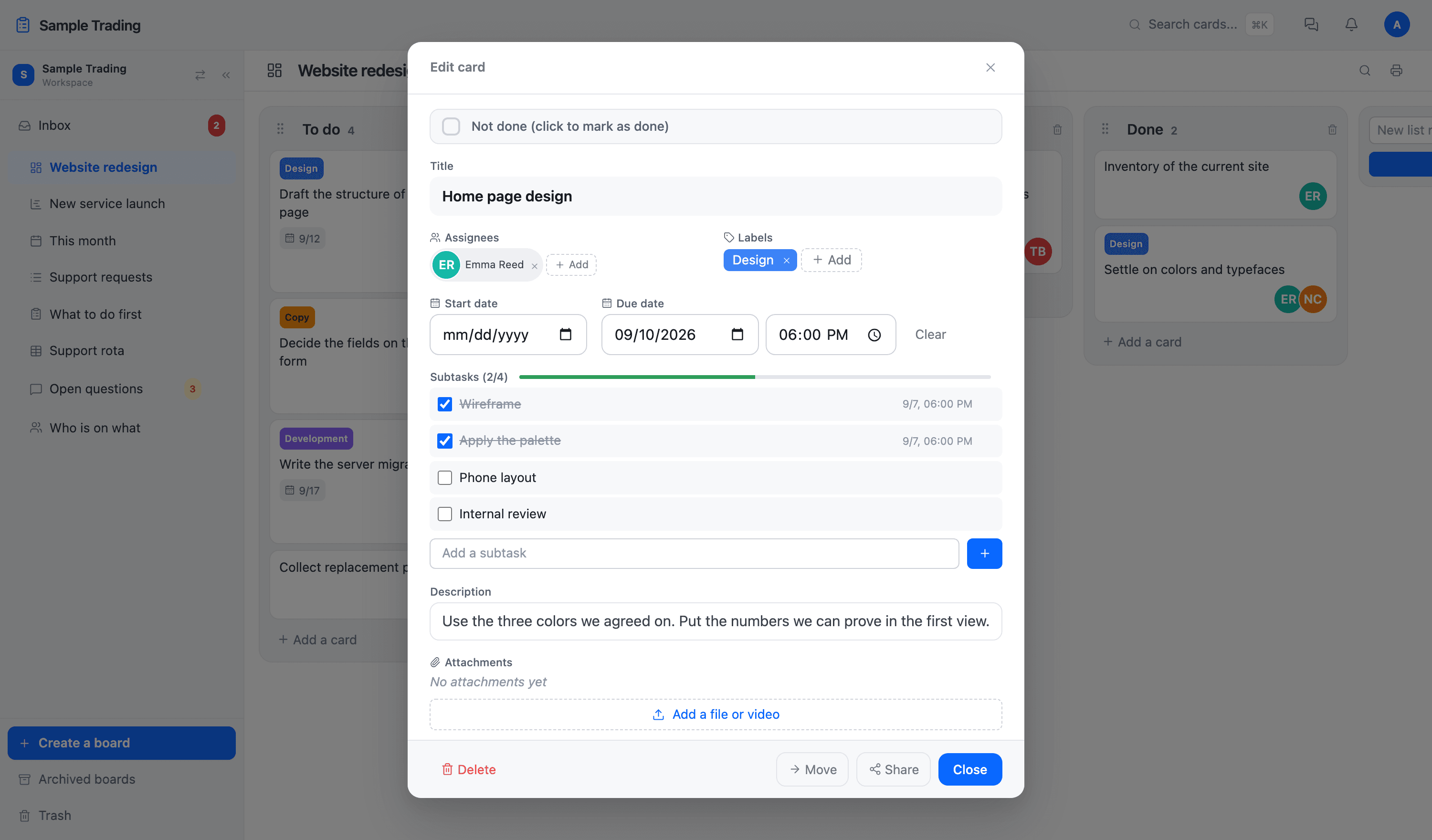
What goes on a card
| Field | What it does |
|---|---|
| Assignees | More than one person can be assigned. It lands in each of their inboxes. |
| Labels | You choose the color and the name. Labels belong to a board, and the color shows on the face of the card. |
| Start and end date | Times can be set too. The end date shows on the card and turns red once it passes. |
| Checklist | The smaller steps inside a card. Progress (2/4 and so on) shows on the face of the card. |
| Description | Headings, lists, and links. Paste a video URL and it plays in place. |
| Attachments | Images, PDFs, video, and more. The text inside them is searchable too. |
| Comments | Replies and emoji. Type @ to call someone and it lands in their inbox. |
| Linked cards | Tie a card to another one, including a card on a different board. |
Adding your own fields (custom fields)
When the same information should go in the same place every time, add a field to the board. There are six kinds: text, long text, number, date, checkbox, and a list of options.
On a board for handling enquiries, adding Company, Type (quote, problem, other), and Reply by means every record comes out in the same shape. Whether a field shows on the face of the card is set per field.
Limiting who can see a field (confidential fields)
Fields like amounts or personal details can be marked confidential. A confidential field is shown only to the owner, admins, and the roles you decide may see it. The board stays shared while that one column stays hidden.
Moving, archiving, and deleting
Move at the bottom of a card sends it to another list or another board. A board you have finished with can be archived rather than deleted (archived boards do not count toward the limits on the pricing page either).
A deleted card stays in the trash for 30 days and goes back where it was, so there is no need to be careful about deleting. Who did what, and when, is kept in the workspace activity log.