Create an account
Choose Start free and enter an email address, a password, and your name. There is no confirmation email to wait for. The moment you submit, your workspace exists and you are on a board.
The company name is optional. Leave it out and your own name becomes the workspace name. You can change it in settings at any time. We choose the identifier that goes in the URL, so nobody gets stopped by "that name is taken".
You can also sign up with your Google or Apple account using the Sign in with Google or Sign in with Apple buttons. In that case there is no password to choose.
Signing in next time
From the second time on, open the Sign in screen, enter the email address and password you registered with, and press Sign in. If you signed up with Google or Apple, press the same button again. If you belong to one workspace you go straight to your boards. If you belong to several, choose one on the Choose a workspace screen.
You already have a board
After you register, a board called Your first board is already there. A few cards you can move say more than an empty screen reading "no boards yet". The cards explain how the tool works as you read them, so when you are done, delete them and write your own work.
Boards, lists, and cards
Three words and you can work.
- BoardA body of work. One per project, per team, or per purpose. They line up in the sidebar on the left.
- ListA column inside a board. To do, In progress, Done. The flow of the work becomes the columns. Name them whatever you like.
- CardOne piece of work. Drag it from column to column. Due dates, assignees, and checklists live inside it.
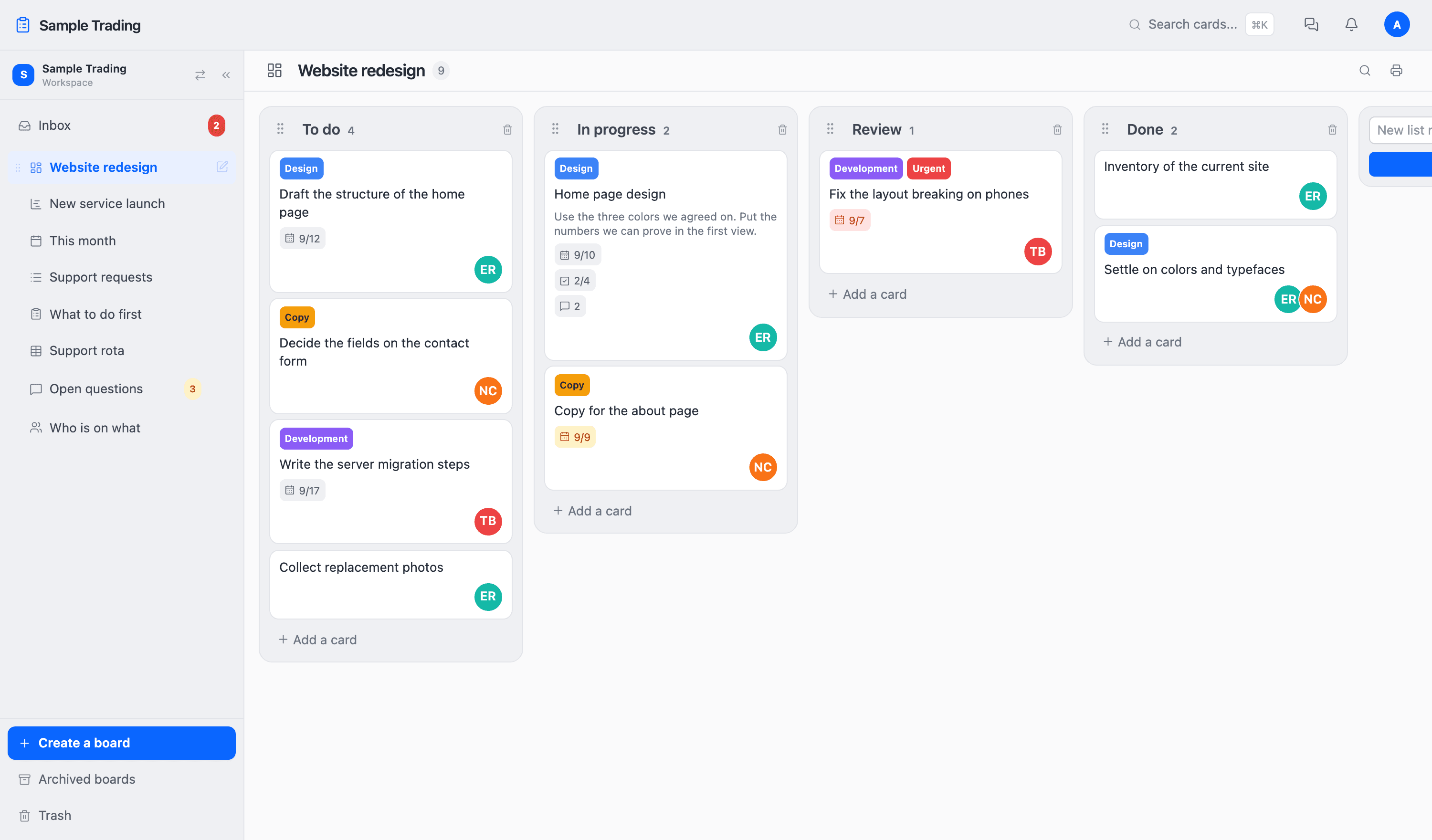
Make a card
Press Add a card at the bottom of a column and type a name. That is a card. Due dates and assignees can be added later by opening it. A name is enough to start.
Move a card
Pick up a card, drop it in another column, and it is saved. There is no save button. Anyone else with that board open sees it move.
If you delete something by mistake, it stays in the trash for 30 days. Open Trash at the bottom left and put it back where it was.
What the free plan includes
The Free plan has no time limit and needs no credit card. No features are held back. The price changes only when the number of people or boards goes over the limit. The Free plan includes the following.
- Up to 5 people
- Up to 10 boards
- All 8 board types: kanban, Gantt, calendar, list and more
- Chat, comments, and inbox
- Custom fields and permission roles
- Unlimited workspaces
- Import from Trello
- 1GB of file storage
People and boards are counted as a total across workspaces. Archived boards are not counted. From the 6th person or the 11th board, the paid Standard plan applies. See Pricing for details.
If you get stuck
Start with the FAQ. Each chapter of this guide explains a feature step by step, such as board types and inviting members.
If that does not solve it, or you find a bug, write to us through the contact form. A copy of your message is sent to the email address you entered, and we will reply as soon as we can.
What to read next
Depending on the shape of the work, a board other than kanban may suit it better. The next chapter puts the eight kinds side by side.