Inbox
Once you have several boards, it stops being obvious where your own work is. The inbox gathers only the cards that concern you, across every board. Overdue first, then this week, then later, then the ones with no date.
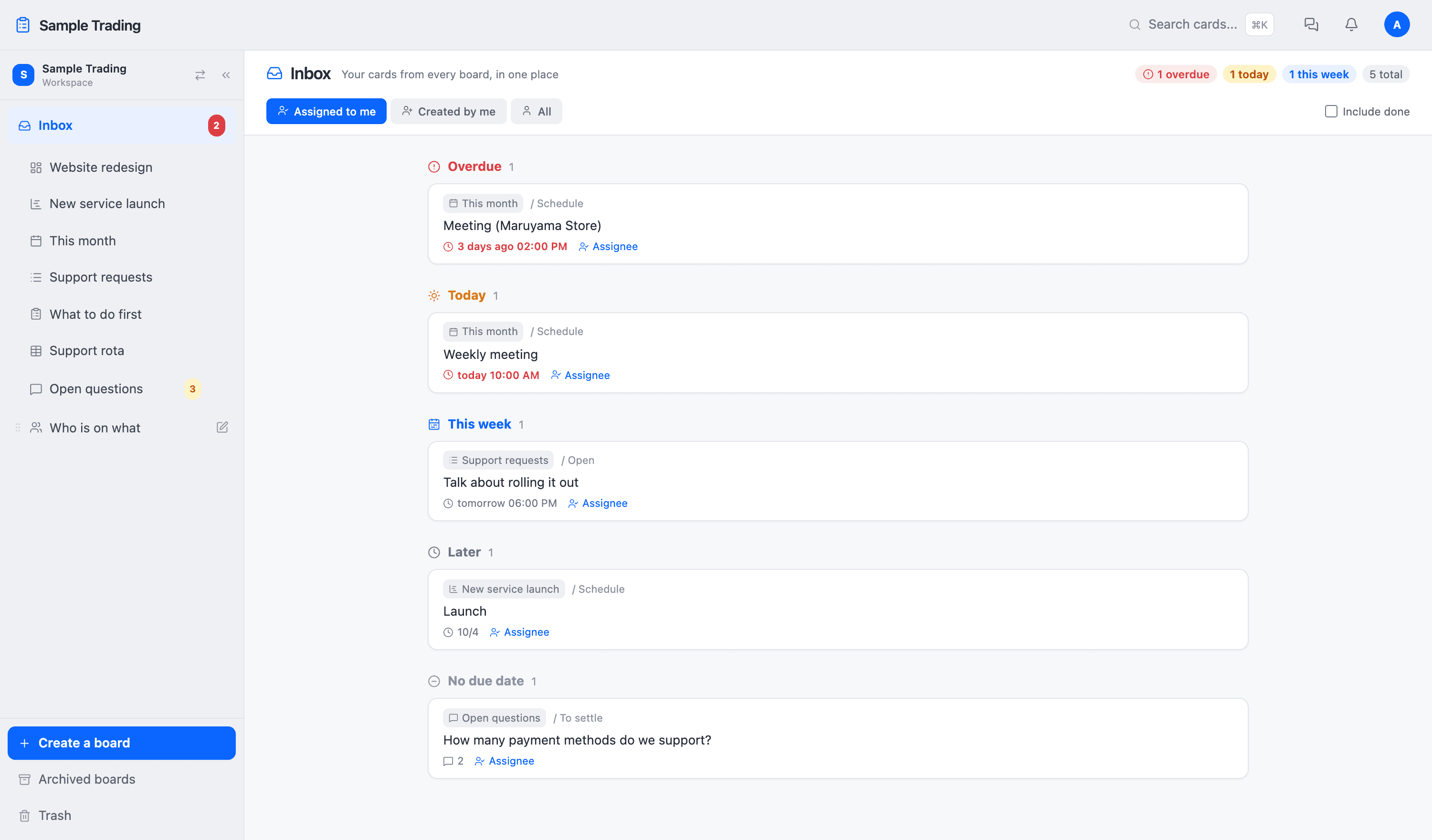
The buttons at the top switch between assigned to me, created by me, and everything. The aim is that looking here first thing in the morning tells you what the day holds.
Search across boards
Press ⌘K (Ctrl+K on Windows) to open search. It looks through every board at once, and not only at card names: descriptions, comments, custom fields, and the contents of attachments.
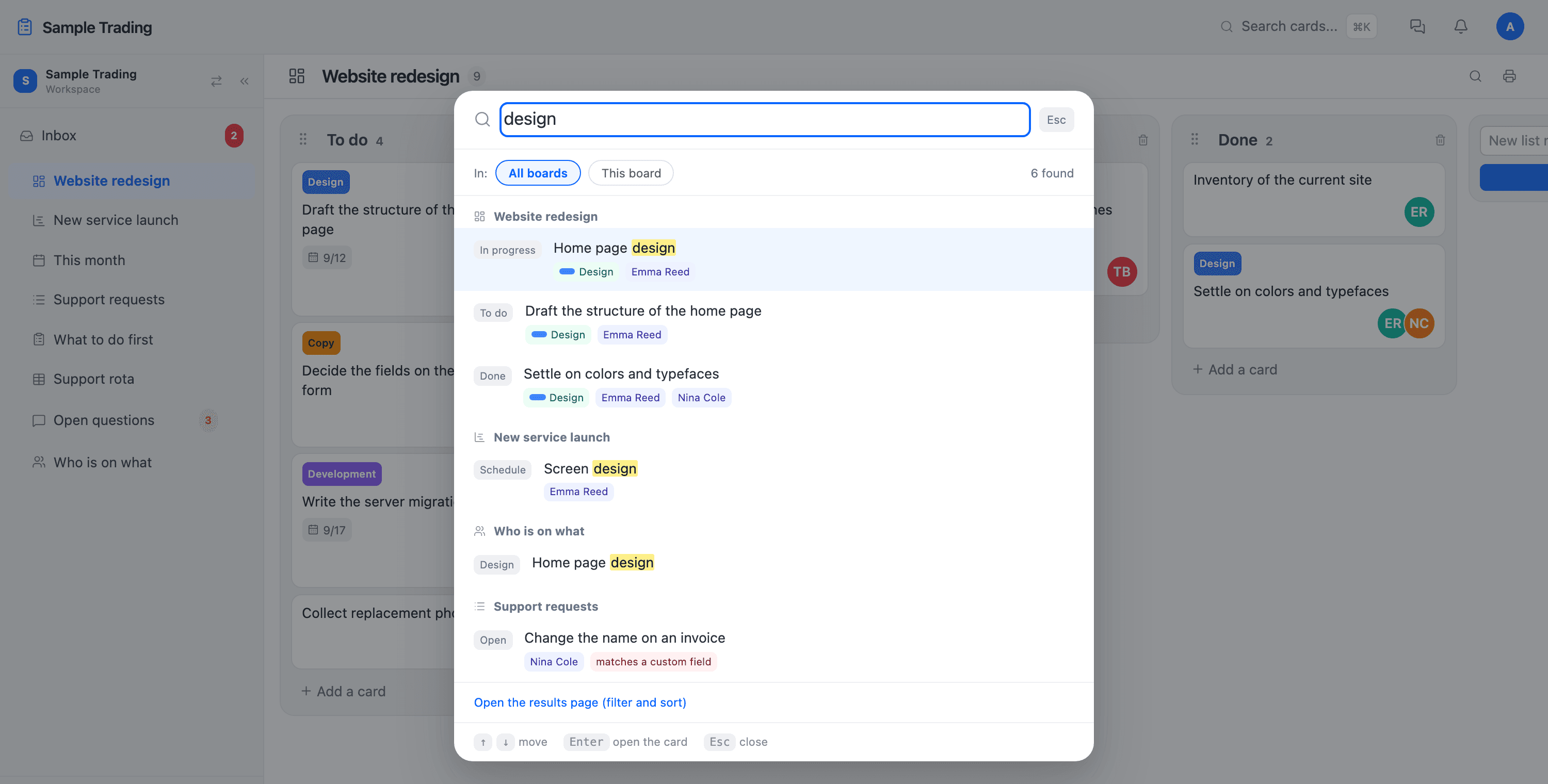
Switch to this board only to search inside the board you have open. When there are a lot of results, Show all results moves you to a screen where you can filter and sort.
Chat
Talk inside the workspace, one to one or in a group. Paste a card and the other person opens it there. Images go straight in. Replies and emoji work too.
Mentions and notifications
Type @ in a comment or a chat message and the member list appears. Whoever you name gets a notification. Roles you created yourself (Sales, for example) can be called with @ as well, which reaches the group at once.
Notifications gather in the bell at the top right. Whether each kind also arrives by email, for mentions, assignments, and chat separately, is set in your account settings.