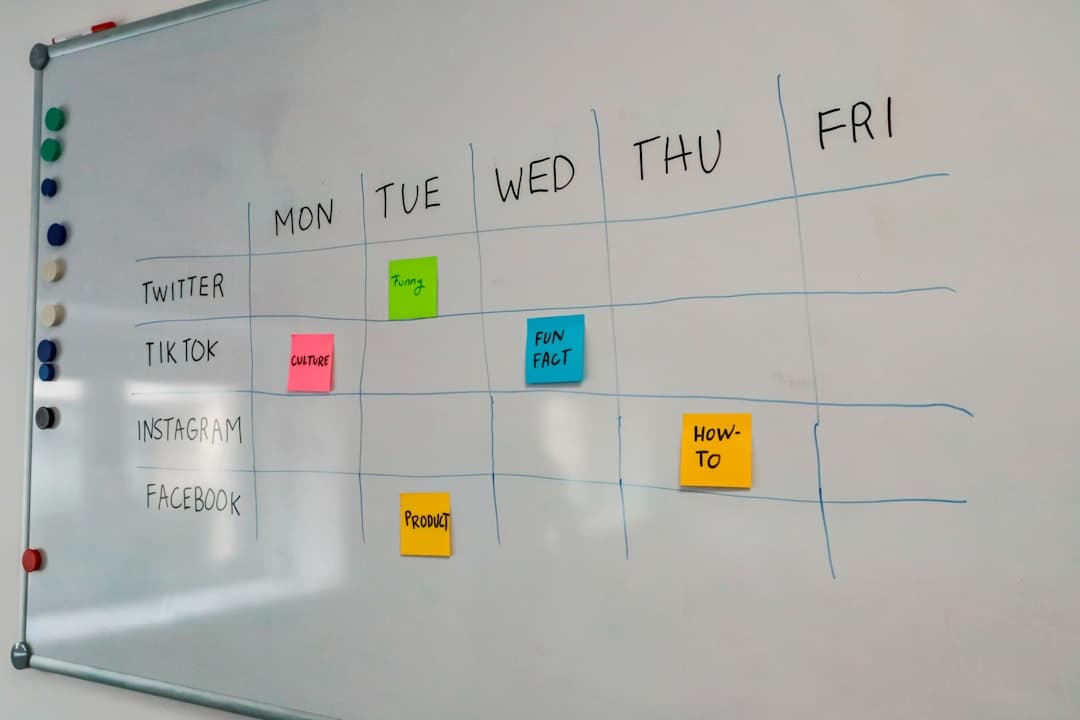
Kanban board examples for marketing, software, and client work
Most kanban board examples are the same three columns with different wallpaper: To Do, Doing, Done. That layout is not wrong, it is just not an example of anything. It describes every possible process equally well, which means it describes none of them usefully.
A board earns its place when its columns match where work actually waits. The interesting question for any team is not what the stages are called but where cards pile up, because that is the only place a board can tell you something you did not already know.
What follows is a set of board layouts for different kinds of work, each with the column names, the rule for entering a column, and a suggested limit on how many cards can sit there at once. They are starting points to be edited, not templates to be adopted whole.
Before the examples: three things every layout needs
These apply regardless of the work, and a board missing them is decoration.
An entry rule per column. A column called Review means nothing until the team agrees what has to be true for a card to enter it. Written down, the rule turns the column into a checkpoint. Unwritten, cards move when someone feels like moving them.
A limit on the columns where work is in flight. The Kanban Guide treats explicit control of the number of items started but not finished as mandatory, and it is the mechanism that makes a board change behaviour rather than just display it. The number matters less than having one, because the value is the conversation that happens when the column is full.
A rule for cards that stop. Blocked work is the most common reason a board becomes untrustworthy. The instinct is to add a Blocked column, which quietly removes the card from the count of work in progress and makes the board look healthier than it is. A red label on a card that stays in the stage it is genuinely stuck in is more honest.
Software team
The classic case, and the one where the middle of the board is where things actually go wrong.
| Column | Enters when | Limit |
|---|---|---|
| Backlog | Written well enough that someone other than the author could start it | None |
| Ready | Scoped, no open questions, unblocked | 8 |
| In progress | Someone is actively working on it today | 1 per person |
| In review | A pull request exists and is open | 3 |
| Ready to release | Approved and merged | None |
| Done | In production | None |
The two columns worth arguing about are Ready and In review.
Ready is the buffer that makes the limit survivable. Without it, hitting the limit on In progress means someone has nothing to do, so the limit gets ignored. With a stocked Ready column, a blocked developer picks up the next scoped thing instead of starting something half-defined.
In review is where most software boards silently accumulate. Review is the one stage where the work is finished from the author's point of view and unstarted from everyone else's, so nobody feels urgency. A hard limit of three forces the team to review before writing more, which is almost always the right trade and almost always unpopular for the first two weeks.
Marketing team
Marketing work has a property software work does not: a long approval tail owned by people outside the team.
| Column | Enters when | Limit |
|---|---|---|
| Ideas | Someone suggested it | None |
| This quarter | Committed with an owner and a target month | None |
| Drafting | Someone is writing or designing it now | 2 per person |
| Internal review | A complete draft exists, not a sketch | 5 |
| Waiting on approval | Sent to legal, a client, or an executive | None, but age is watched |
| Scheduled | Approved with a publish date set | None |
| Published | Live | None |
Waiting on approval is deliberately unlimited, because the team does not control it. What the team does control is noticing when a card has been sitting there for eleven days. The Kanban Guide names work item age as one of its four mandatory metrics, and this is exactly the column it exists for. A board where the oldest card in Waiting on approval is called out in the weekly meeting produces chased approvals. A board where it is not produces a quarter that slips.
The Ideas column needs a rule nobody enjoys: if nothing has moved out of it in a quarter, it is not a backlog, it is a graveyard, and it should be archived rather than scrolled past.
Agency and client work
The hard part here is that there are several clients and one team, and columns describe stages rather than clients.
| Column | Enters when | Limit |
|---|---|---|
| Requested | The client asked, in writing | None |
| Scoped | Hours estimated and confirmed | None |
| In progress | Work has started | 2 per person |
| Client review | Delivered to the client | None, age watched |
| Revisions | The client asked for changes | 4 |
| Invoiced | Sent for billing | None |
| Closed | Paid | None |
Group by client using swimlanes or labels rather than columns. A column per client produces a board where the stage of the work is invisible, which defeats the point. Swimlanes keep both readable at once, and they make it obvious when one client is consuming the whole team.
Revisions deserves a limit because unlimited revision capacity is how agencies lose money quietly. A full Revisions column is a scheduling fact, and treating it as one is easier than treating it as a conversation about scope.
The Invoiced column is not project management, and it is there anyway, because it is the only column that anyone outside the team asks about.
Support and operations
Here the work arrives rather than being planned, and the board has to cope with volume.
| Column | Enters when | Limit |
|---|---|---|
| New | A ticket exists | None |
| Triaged | Category and priority assigned | None |
| In progress | Someone owns it and is working it | 1 per person |
| Waiting on customer | A reply is needed from outside | None, age watched |
| Waiting on engineering | Escalated | None, age watched |
| Resolved | Fixed and confirmed | None |
Two waiting columns rather than one, because they need different chasing. Waiting on customer resolves itself or times out. Waiting on engineering does not, and it is the column where support tickets go to die.
A service level expectation, in the Kanban Guide's sense of a forecast with a probability attached, is more useful here than anywhere else. Something like 85% of tickets resolved in three days or less is a statement a team can check against its own history and a promise a customer can understand.
Hiring
Not usually thought of as kanban work, and it fits better than most.
| Column | Enters when | Limit |
|---|---|---|
| Applied | Application received | None |
| Screening | CV being reviewed | None |
| Phone screen | Scheduled | 6 |
| Interview | Scheduled | 4 |
| Offer | Decision made to hire | None |
| Closed | Accepted, declined, or rejected | None |
The limits exist to protect the candidate experience rather than the team's throughput. Ten simultaneous interview loops means slow feedback, and slow feedback loses the candidates worth having. Work item age is again the number that matters: a candidate sitting in Screening for nine days is a problem, whatever the average time to hire looks like.
Reading these boards once they are running
A layout is half the job. The other half is the habit of looking at it, and there are only three things worth looking at.
The column that is full
A full column is the board doing its job. It means the team has reached its agreed limit on that stage and the correct response is to help finish something rather than start something. The wrong response, and the common one, is to raise the limit. Raising a limit because it was uncomfortable removes the only feedback the board produces.
The oldest card in each column
This is work item age, and it is the most actionable of the four metrics the Kanban Guide names, because it concerns cards that are still open and can still be helped. Cycle time is a report about work that already finished, which is useful for forecasting and useless for today. A weekly glance at the oldest card in each column catches the things that quietly stopped.
Boards with waiting columns need this most. Nothing in a Waiting on approval or Waiting on customer column will announce itself, because the team is not the bottleneck and nobody on the team feels the delay.
How many cards finished last week
Throughput, counted as a plain number of cards rather than a score. It is not a productivity measure and it falls apart the moment it is used as one, but as a trend it answers a question teams otherwise argue about: whether a process change made anything move faster or just felt better.
Two of these three can be read by counting cards on the screen with no tooling at all, which is worth knowing before anyone goes looking for a reporting feature.
Adapting any of these
The pattern behind all five is the same, and it is worth stating because it makes editing them easy.
Every board has a queue at the front, one or two stages where the team is actively doing something, at least one stage where the work is waiting on someone else, and a terminal state. The team's stages get limits. The waiting stages get age watched instead, because a limit on something the team does not control just means the board lies.
Start with the stage where work actually piles up
Rather than designing the whole board, watch the work for a week and find the place where things sit. That is the column that needs an entry rule and a limit. The rest of the columns can stay vague for a while without any harm.
Keep it to five or six columns
Boards drift toward nine because every exception gets a column. A board that needs horizontal scrolling on a laptop is a board nobody reads, and unread boards are worse than no board because they are confidently out of date.
Check whether the same cards need to be a schedule
Several of these boards, particularly marketing and agency work, generate a date question every week. Maintaining a separate spreadsheet of dates alongside the board is the point at which the board stops being trusted. Tools where the same cards can be read as a board and as a timeline remove the duplicate, and what the board types cover is the thing to check before building a second copy by hand.
What to change first
Pick the one column on the current board where cards sit longest, write down what has to be true for a card to enter it, and put a number on it. That single change does more than redesigning the whole layout, because it turns the board from a picture into a constraint. Pinateca is free for up to five people and ten boards, which is enough to build one of these layouts and run a real week against it.
Q1. How many columns should a kanban board have?
Five or six is the practical ceiling for a board that gets read at a glance. Boards grow past that when every exception gets its own column, and a board that needs horizontal scrolling stops being scanned. A useful test is whether someone outside the team can tell which cards are late in under ten seconds.
Q2. Should there be a Blocked column?
Usually not. A Blocked column removes the card from the count of work in progress, which makes the board look healthier than the team is, and it becomes a place where cards rest indefinitely. A red label on a card that stays in whichever stage it is genuinely stuck in keeps it counted and keeps it visible.
Q3. What is a good work in progress limit to start with?
For stages where one person does the work, one or two per person is a reasonable starting number. For shared stages such as review, a single number for the column works better than a per-person figure. The exact number matters less than having one, because the value comes from the discussion that happens when the column is full rather than from the number itself.
Q4. How is a kanban board different from a to-do list with columns?
By whether anything is limited or measured. The Kanban Guide requires explicit control of the number of items started but not finished, plus four metrics: work in progress, throughput, work item age and cycle time. A board with columns but no limit and no numbers is a to-do list arranged horizontally, which is fine, but it will not change how much the team starts at once.
Q5. Should each client or project get its own board?
Usually not. Separate boards per client hide how much total work is in flight, which is the number that determines whether anything gets delivered on time. One board with swimlanes or labels per client keeps the stages readable and makes it obvious when one client is consuming the whole team's capacity.