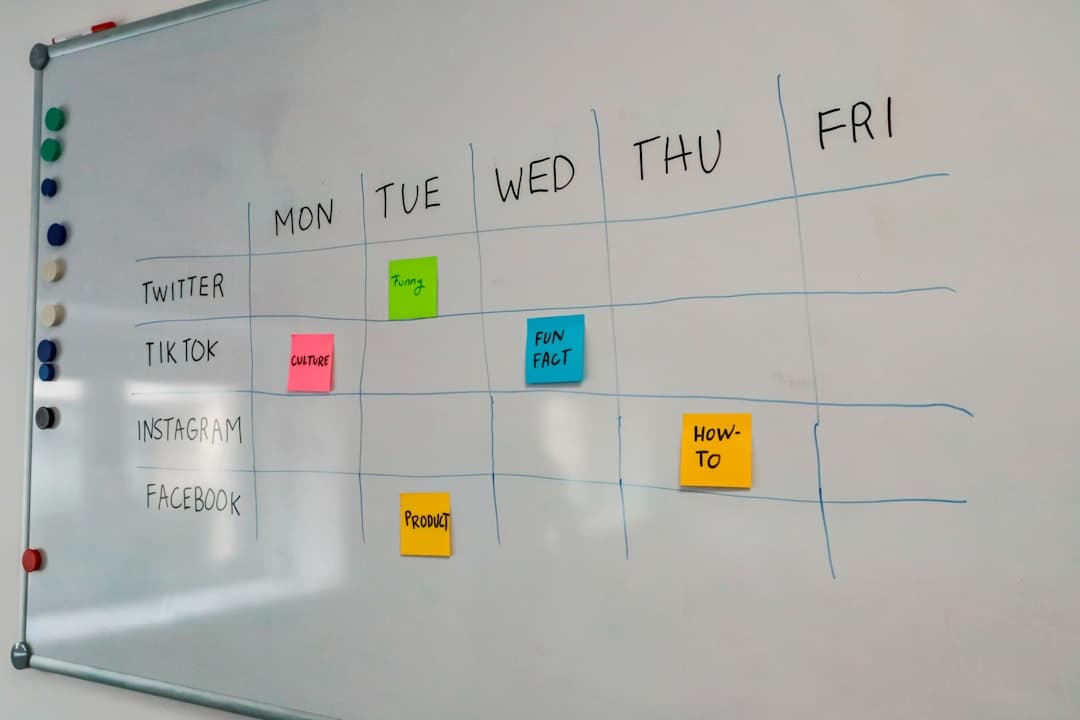
Choosing kanban board software for a team that is outgrowing sticky notes

The wall of sticky notes worked when four people sat in the same room. Now two of them work from home on Fridays, a contractor joined last month, and the notes that fell behind the radiator were the ones that mattered. Someone suggests moving the board into software, and within a day there are six browser tabs open, each promising to fix everything.
This article is for the person who has to make that call. It does not rank products. It lays out what a kanban board program actually has to do for a small team, where the real differences between tools are, and how to test a shortlist without dragging the whole team through three migrations.
What the physical board was doing that the software has to keep doing
Before comparing tools, it helps to be honest about why the physical board worked at all. It was not the sticky notes. It was three habits the board made unavoidable.
Everyone saw the same picture
A wall board has one state. When someone moved a card to "Done", everyone walking past saw it. Software can break this without anyone noticing: personal filters, private boards, and notifications that replace looking at the board. If people stop opening the shared view, the board becomes a filing cabinet.
Moving a card was a small public act
Dragging a note from "Doing" to "Review" in front of colleagues carried a little social weight. That weight kept the board honest. In software, the equivalent is an activity trail that shows who moved what and when. Without it, cards drift and nobody knows why.
The board was limited by the wall
A wall only holds so many notes. That physical limit quietly capped work in progress. Software has no wall, so a column can hold 60 cards and still look tidy. A team moving online needs some replacement for that limit, whether it is a feature or a rule the team agrees to follow.
Keep these three in mind. A program that does all of its advertised features but loses these habits will feel busy and still leave people asking what is going on.
The features that decide whether the board gets used
Most kanban board software covers the basics: columns, cards, drag and drop, assignees, due dates, labels. Comparing on those tells you almost nothing. The differences that matter show up in daily use.
How much a card can hold
A card starts as a title. Within a week it needs a description, a checklist, an attachment, and a comment thread where the decision was made. If any of these live somewhere else, such as a separate chat tool or a shared drive, people will stop updating the card and start updating the other place. The card should be able to hold the whole job, or at least link to everything without extra steps.
Custom fields
Small teams often need one or two fields that no template anticipates: client name, estimated hours, invoice number, priority on a scale the team actually uses. Check whether custom fields exist on the plan you would really pay for, not only on a higher tier, and whether you can filter and sort by them.
Views other than the board
A kanban board shows flow. It does not show time. As soon as there are deadlines that depend on each other, someone will ask for a timeline or a calendar. Some tools show the same cards as a Gantt chart or a calendar, others require a separate product or a paid add-on. If your work has dates, test the second view in the trial, not after the purchase.
Conversation next to the task
The quickest way for a board to die is for the discussion about a card to happen in a different app. Comments on cards help. Some tools also include team chat in the same place, which means a message can point directly at a card. Whether that matters depends on how much of your coordination is written.
Permissions and outside people
The sticky note wall had no permissions. Anyone in the room could move anything. Software forces a decision, and small teams rarely think about it until a client or freelancer needs access. Check whether you can give an outside person access to one board or one workspace only, whether their role can be limited to viewing or commenting, and whether there is a record of who changed what. An activity log sounds like an enterprise feature, but it is the first thing anyone wants when a deadline moves and nobody remembers moving it.
Use on a phone
Much of the checking happens away from a desk: glancing at what is due today, replying to a question on a card, moving something to done after a call. Some tools rely on a mobile app, others run in the phone browser. Either can work. What matters is whether replying to a comment and moving a card take a few seconds, not a minute of zooming.
Limits and pricing: reading the plan page properly
Pricing pages for kanban board software are designed to be scanned quickly. Small teams get caught by the limits that sit one line below the headline price.
The common limits are:
| Limit type | What to check | Why it bites small teams |
|---|---|---|
| People | How many members the free or entry plan allows, and whether guests count | Adding one contractor can move the whole team onto a paid plan |
| Boards | Maximum number of boards, and whether archived boards count | Teams that make one board per client hit this fast |
| Views | Whether timeline, calendar, or Gantt views are on the entry plan | The view you need later may sit on a higher tier |
| Automation | Number of automated runs per month | Automations quietly stop when the quota runs out |
| Storage | Total or per file limit | Design and video files fill it quickly |
| History | How far back the activity log goes | Needed when someone asks who changed a deadline |
For a concrete example, Trello's pricing page currently lists its free plan as free for up to 10 collaborators per Workspace, and its Standard plan at $6 per user per month when billed monthly. Every vendor draws these lines differently, and they change. Read the current plan page on the day you decide, and write down the three limits your team is most likely to hit in the next year.
Count by the person who pays, not the person who joins
Per user pricing means the cost grows with the team, not with the work. A team of five that expects to become eight should price the tool at eight. If contractors come and go, check whether removing a member reduces the bill immediately or only at renewal.
The pricing page of any tool you shortlist should answer these questions in plain language. If it does not, ask support before you commit.
When a kanban board is not the whole answer
Kanban board software is excellent at one question: where is each piece of work right now? It is weaker at others, and many small teams discover this after moving.
Dates that depend on each other
If the design has to finish before development starts, and development before testing, a board shows three cards in three columns. It does not show that a two day slip in design pushes the release. A Gantt chart shows it immediately. Teams doing client projects with fixed delivery dates usually need both.
Recurring slots and shifts
Some work is not a flow at all. A weekly rota, a room booking, a class timetable. Forcing these into columns produces a board of cards that never move. A calendar or timetable view fits better.
Who is overloaded
A board shows cards, not people. When one person has nine cards in progress and another has one, the board can hide it unless you filter by assignee, one person at a time. A resource view with people down the side makes the imbalance visible at a glance.
None of this means buying three separate products. It means checking, before choosing, whether the same cards can be shown in the other shapes your work needs. A tool that offers several board types over one set of cards avoids copying data between systems. The features page of a shortlisted tool should make clear which views exist and whether they share the same data.
Running a two week trial without losing the team
The biggest risk in choosing software is not picking the wrong tool. It is running a trial so loose that nobody can tell whether it worked.
Week one: one real project, one board
Pick a live project with a clear end, ideally something with five to twenty cards. Do not import everything. Set up columns that match how the work actually moves, not the default template. Ask every person to do three things daily: move their own cards, comment on a card instead of sending a message, and open the board once before starting work.
Week two: stress the parts that will break
In the second week, deliberately test the limits:
- Invite a person from outside the team and see what they can and cannot see.
- Add a card with a large attachment and a long discussion.
- Switch the same work to a timeline or calendar view if you need one.
- Open it on a phone during a commute and try to reply to a comment.
- Delete a card by mistake and try to restore it.
Decide with three questions
At the end, ask the team directly: did you check the board without being reminded, did anything important happen outside it, and would you be annoyed if it went away tomorrow? Three yes, no, yes answers are a better signal than any feature checklist.
Moving existing work without starting from zero
If the team already uses a digital board, migration cost often decides the choice more than features do. Before committing, check three things.
First, whether the new tool imports from the old one directly, and what comes across. Cards and titles are easy. Comments, checklists, attachments, and labels are where imports quietly lose information. A tool that offers an import from Trello, for example, should state exactly which parts of a board are carried over.
Second, whether imported boards count against a plan limit. A team with 30 old boards can land on a paid tier on day one just by importing history.
Third, whether the old tool can stay read only for a while. Keeping the old board visible for a month removes the pressure to move everything perfectly, and people can look things up while the new habits form.
For a side by side view of how specific tools handle these points, a comparison of tools is a useful starting point, as long as you verify the details on each vendor's own pages.
What to change first
Pick one live project, set up a single board whose columns match how that work really moves, and run it for two weeks with the checks above before deciding anything else. If the work also has deadlines or shared people, include a timeline or calendar in that trial. Pinateca is one option to include, since its kanban, Gantt, and calendar boards are available on the free plan for up to 5 people.
Q1. Is free kanban board software good enough for a small team?
Often, yes. Many free plans cover a handful of people and the core board features. The catch is usually a limit on members, boards, views, or automation. Check which of those your team is most likely to reach within a year before settling in.
Q2. How many columns should a kanban board have when starting out?
Start with the fewest columns that describe real hand offs, often four or five, such as To do, Doing, Review, and Done. Add a column only when work repeatedly waits at a step that the board does not show. Columns that cards never sit in can be removed.
Q3. Should clients or contractors have access to the team board?
It depends on what they should see. Many tools let guests see only specific boards or workspaces, and some do not count view only guests toward paid seats. Test guest access during the trial rather than assuming it works the way you expect.
Q4. How long does it take a team to get used to a new kanban tool?
Basic use takes a day or two. The habit of updating cards instead of sending messages takes longer, typically a few weeks. A short daily check of the board, done together, speeds this up more than training does.
Q5. Can one tool replace both a kanban board and a Gantt chart?
Some can. Look for tools that show the same cards as a board and as a timeline, so dates change in both places at once. If the two views live in separate products, expect to keep dates in sync by hand.