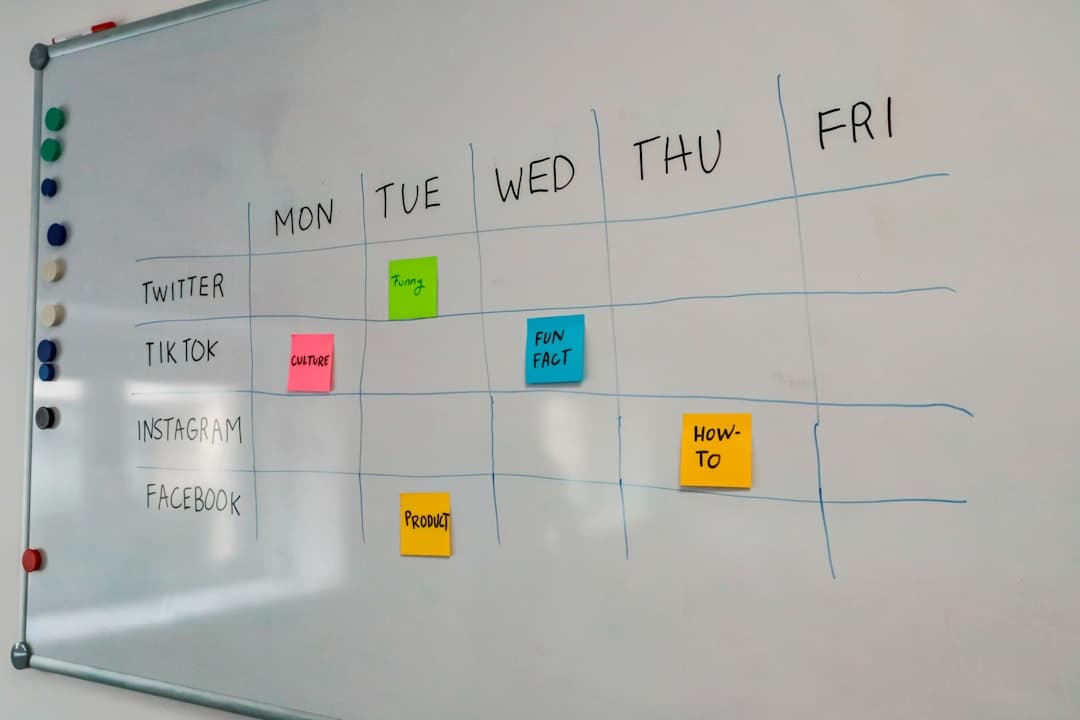
Kanban cards: what to put on a card so the board stays readable

The board started clean. Six weeks later the columns are full of cards with titles like "Fix the thing from the call", cards that have been sitting in progress since the second week, and cards nobody can tell apart at a glance. Standing in front of it, the team spends the first five minutes of every stand-up asking each other what the cards mean. That is not a kanban problem. It is a card problem, and it is the easiest part of the system to fix without changing tools or process.
This article covers what a kanban card is for, what belongs on the front of it, what belongs inside, how big a card should be before it needs splitting, and how to keep cards consistent across a team without writing a rulebook nobody reads.
What a card is actually for
A card is often described as a unit of work. That is true but not useful, because it does not say anything about how to write one. A better way to think about it: a card is the smallest thing the team is willing to talk about as a single item in a stand-up.
A card is a promise, not a document
The card says that something will be finished, by someone, and that the team will notice when it is not. Everything on the card exists to support that promise. A card is not the place to store the full specification, the meeting notes, or the research. Those things belong somewhere the card links to. When a card becomes a document, people stop opening it, and an unopened card is a card that stops being updated.
A card has two readers
The first reader is the person doing the work, who opens the card and needs enough to start without asking a question. The second reader is everyone else, who never opens it and only ever sees the front of the card in a column. Most card problems come from writing only for the first reader. The person doing the work already knows what "Fix the thing from the call" means, so they write it and move on. Nobody else does, and the board becomes unreadable for the people it was supposed to inform.
Write the front of the card for the person who will never open it. Write the inside for the person who has to do it.
Why this matters more as the team grows
With two people, the board can be sloppy because both of them hold the context in their heads. At five or six people, the context no longer fits in anyone's head, and the board is the only shared memory. That is usually the point at which teams start blaming the tool, when what actually changed was the number of people reading the cards.
What belongs on the front of the card
The front of the card is whatever shows in the column without clicking. Most tools show the title, the assignee, the due date, and any labels or tags. That is roughly four pieces of information, and the title carries most of the weight.
The title is the whole card for most people
A good title is a verb and an object, specific enough that someone outside the work can tell what finishing it would look like. "Update the pricing page" is weak because updating never ends. "Replace the old plan names on the pricing page" has an end. "Draft" is better than "Work on", "Ship" is better than "Handle", and anything starting with "Investigate" should carry a question so the investigation can stop.
Keep titles short enough that they are not truncated in the column. If the tool cuts a title off at forty characters, a sixty character title is effectively half a title, and the half that survives is the generic half.
Assignee, one date, one tag
An assignee answers who is accountable, not who is helping. If two names are on a card, in practice nobody owns it. One date is enough, and it should mean the same thing on every card on the board: either the date the work is due, or the date it is promised to someone outside the team, but not both depending on who made the card.
Tags earn their place only if the team filters by them. A tag that nobody has ever filtered by is decoration that makes the card noisier.
What to leave off the front
| Information | Front of card | Inside the card |
|---|---|---|
| What will be finished | Yes, as the title | Expanded if needed |
| Who is accountable | Yes, one assignee | Others in comments |
| When it is due | Yes, one date | History of changes |
| Priority | Only if the team sorts by it | Otherwise here |
| Estimate | Rarely | Yes |
| Requirements and context | No | Yes |
| Links to documents and tickets | No | Yes |
| Discussion | No | Yes, as comments |
The test for anything on the front is simple: does a person scanning the column need it to decide where to look next. If the answer is no, it belongs inside.
What belongs inside the card
Inside the card, the constraint flips. Space is no longer scarce, but attention still is. The person who opens the card is about to start work, and the card should get them to the first action without a search.
A definition of done, in one or two lines
The single highest value thing to add to a card is a plain statement of what finished looks like. "Done when the new plan names appear on the live pricing page and the old names return a redirect." It takes fifteen seconds to write and removes most of the arguments that happen when a card reaches the review column.
Links, not copies
Paste the link to the design file, the ticket, the thread where the decision was made. Do not paste the contents. Copies go stale silently, and a stale copy inside a card is worse than no copy, because the person working from it does not know it is wrong.
Comments as the decision record
When something about the work changes, the change belongs in a comment on the card, not in a chat message that scrolls away. This is the part teams skip most often, and it is why they end up reconstructing decisions from memory two months later. Tools that keep chat next to the board make this easier, because the distance between the conversation and the card is one click rather than one context switch. It is worth checking how a tool handles this before adopting it, and the features overview is the place that question usually gets answered.
The blocked state belongs on the card, not in someone's head
When a card cannot move because it is waiting on a client, a review, or another team, that fact needs to live on the card itself. Some teams use a label, some add a column, some write the blocker as the first line of the description. Any of these work. What does not work is the blocker existing only as something one person mentioned in a stand-up, because the card then looks identical to a card that is actively being worked on. Add the date the block started as well. A card that has been waiting on an external answer for eleven days is a different conversation from one that has been waiting since yesterday, and without the date both look the same.
Checklists, carefully
A checklist inside a card is useful when the steps are genuinely a sequence one person will do in one sitting. It is a warning sign when it is a list of separate deliverables owned by different people. That is not a checklist. That is several cards wearing a costume.
How big a card should be
Card size is where most boards go wrong, and it is invisible until the board is already stuck. The symptom is a column where cards sit for weeks and the status never changes, so the stand-up becomes a round of "still working on it".
The one week test
A reasonable rule for a small team: if a card cannot move to the next column within about a week, it is too big. This is not a rule about effort. It is a rule about feedback. A card that takes three weeks gives the team no information for three weeks, and any problem inside it surfaces at the end, when there is no time left to react.
How to split a card that is too big
Splitting by phase is the obvious move and usually the wrong one, because "design the export" and "build the export" both end in something nobody can use. Split by output instead. A card that says "Build the reporting page" can become "Show the totals row", "Add the date filter", and "Add CSV download". Each one ends in something real, each can be reviewed, and the order can change when priorities do.
If a piece genuinely cannot be split, at least split the unknown part off the front of it: one card to answer the question, one card to do the work once the answer exists.
Cards that never move
Every board accumulates cards that are real work but that nobody will do this quarter. Leaving them in the columns costs attention every single day. Move them somewhere the team looks deliberately rather than constantly, and review that place on a fixed day. A backlog nobody looks at is fine. A backlog mixed into the active columns is not.
Keeping cards consistent without a rulebook
Consistency is what makes a board scannable, and written standards rarely produce it. What produces it is making the good version easier than the bad version.
Use a template card
Most tools support a template or a default description for new cards. Put three headings in it: what finished looks like, links, and open questions. People fill in what is in front of them. An empty description field produces an empty description.
Agree on the title shape, not the wording
One convention is usually enough: start with a verb. Teams that try to standardise more than that end up with cards nobody wants to write. If the team works across several areas, a single prefix such as the area name in square brackets is the most that stays usable.
Review the board, not just the work
Once a month, spend ten minutes on the cards themselves. Look for titles that nobody can parse, cards older than the sprint, columns holding more cards than anyone is working on. This is maintenance, and like all maintenance it is cheap when done regularly and expensive when done never.
Expect to carry conventions across tools
Card conventions outlive the tool. Teams that move from one board to another usually keep their titles, labels, and definitions of done, and the migration is mostly about whether those survive the transfer. If a move is on the table, check what the importer actually carries over before committing, which for teams coming from Trello is covered on the import page.
What to change first
Pick one column that is currently unreadable and rewrite every title in it as a verb plus a specific object, then add a one line definition of done to the three oldest cards. That is under an hour and it will change the next stand-up. If the board itself is the constraint rather than the cards, Pinateca is free for up to 5 people and 10 boards, which is enough to test the same cards somewhere else before deciding.
Q1. How much detail should a kanban card have?
Enough on the front that someone scanning the column knows what it is, and enough inside that the person doing the work can start without asking a question. A statement of what finished looks like, plus links to the relevant documents, covers most cases. Full specifications belong in the linked document, not pasted into the card.
Q2. Should each kanban card have a due date?
Only if the date means something and the team acts on it. Dates on every card, applied by default, train people to ignore them. A useful pattern is to set dates only where something outside the team depends on the timing, and to treat the column position as the status for everything else.
Q3. How many cards should be in progress at once?
Fewer than most teams assume. A common starting point is roughly one or two active cards per person, then lowering the number until work starts finishing faster. The point of the limit is to make waiting visible, so the right number is whatever makes blocked work obvious within a day.
Q4. Can one kanban card have more than one assignee?
Tools usually allow it, but in practice a card with two owners has none, because each person assumes the other is moving it. A better pattern is one assignee who is accountable for the card reaching the next column, with everyone else named in the description or comments.
Q5. What should happen to cards that sit in the same column for months?
Decide, rather than leave them. Either split them into something that can finish this week, move them out of the active columns into a backlog that gets reviewed on a fixed schedule, or close them. Old cards in active columns make the whole board harder to read, which quietly reduces how much anyone trusts it.