task-ops
Kanban in Obsidian: A Personal Board That Cannot Carry a Team
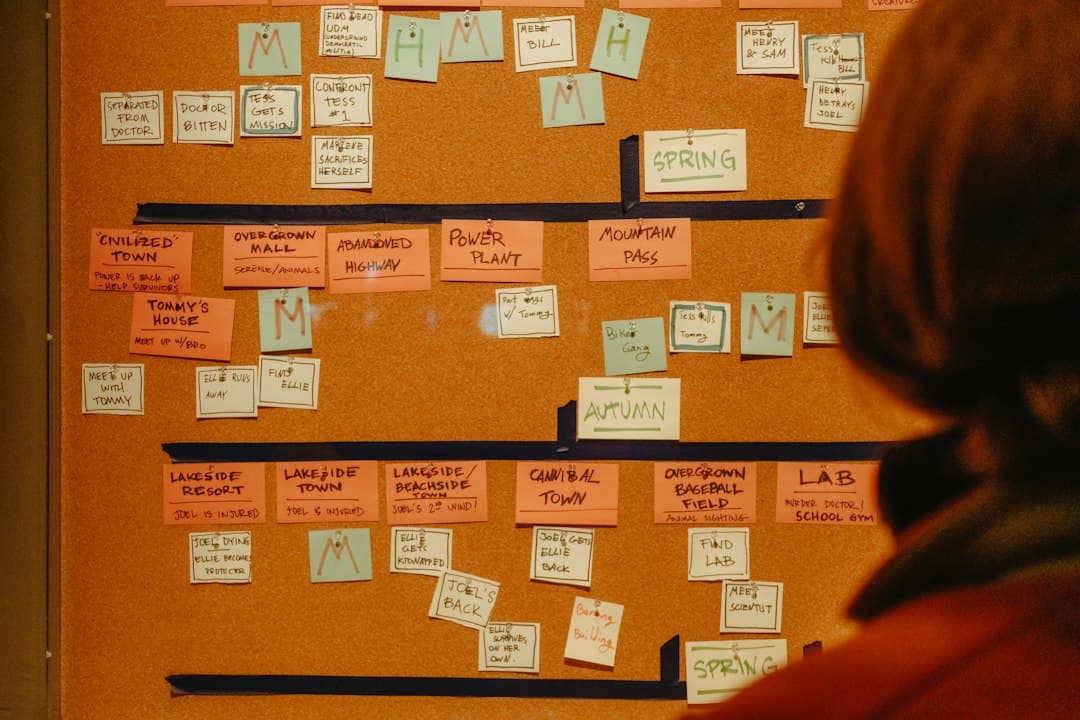
A vault has three years of notes in it. Meeting records, half finished specifications, reading notes, the reasoning behind every decision that mattered. Tasks are scattered through those notes as checkboxes, which works until there are enough of them that nobody can see what is actually in flight. The obvious next step is a board, in the same place, so that a card can link straight to the note that explains it.
That instinct is correct, and Obsidian supports it in two different ways now. The interesting question is not whether a kanban board can be made there. It can, easily, and for one person it is one of the better setups available. The question is where the model stops, because the boundary is specific and it arrives sooner than most people expect: the moment a second person needs to move a card.
Two ways to get a board in a vault today
The situation changed when Bases became part of Obsidian itself, and it is worth being clear about which option is which.
The Bases kanban layout
Bases is a core feature, not a community plugin. A base is a saved query over the notes in a vault, displayed in one of several layouts. The documented layouts are Table, Cards, List, Kanban and Map, with Map requiring a separate plugin. The kanban layout displays files as cards organised into columns based on a grouped property.
That last sentence is the whole design, and it is a good one. The columns are not a structure that exists somewhere. They are the distinct values of a property in the notes' frontmatter. A note whose status property reads doing appears in the doing column. Change the property, the card moves. Drag the card, the property changes. Obsidian's changelog for 1.14.2, released on 15 September 2026, records improved drag and drop in the kanban layout, so the interaction is being actively worked on.
The consequence is that the board is a view, not a file. Nothing has to be kept in step, because there is nothing separate to keep in step. Any note with the right property shows up, including notes written long before the board existed.
Getting a usable board out of Bases in one sitting
Three decisions do most of the work, and getting them wrong is the reason a first attempt feels unsatisfying.
The first is which property drives the columns. A property named status with four or five short values is enough, and the values should be stages of work rather than categories of work. Backlog, doing, review, blocked, done reads as a flow. Design, writing, admin does not, because a card never leaves the column it started in.
The second is what the base actually selects. A board that queries every note in the vault shows three years of reading notes. Scope it by folder, or by the presence of the status property itself, so that only notes intended as work appear. The second approach is usually better, because adding a status property to a note is how a note becomes a task.
The third is what the card face shows. A column of identical file names is useless. Choose two or three properties to display, typically a due date and an owner or an area, so the board can be read without opening anything.
Once those three are set, the board is complete and there is nothing further to maintain. That is the part that makes it worth doing even for people who will end up running a shared board elsewhere.
The community Kanban plugin
The other route is the long standing community plugin that creates markdown backed kanban boards, where each board is a single markdown file with lists of items under headings. It has been the default answer for years, has around 4,500 stars on GitHub, and its documentation is published as an Obsidian site.
Its current state should be part of the decision. The repository now sits under a community archive organisation, its README states that the plugin is looking for new maintainers, and there are several hundred open issues. The plugin is licensed GPL-3.0 and the code is available, so anyone can continue it, and the board files are plain markdown that remain readable whatever happens to the plugin. Both of those facts limit the risk. But for a new setup in 2026, the core feature is the one that will keep receiving work.
Why the plain text board is genuinely good
Neither option should be dismissed as a toy. For a single person, a board inside a vault has four advantages that hosted tools structurally cannot offer.
The card and the thinking are the same object. In every hosted tool, a card links out to a document. Here the card is the note. Opening it gives the full reasoning, the meeting record, the rejected alternatives, all of it, with no navigation and no second search.
Backlinks work across the board. A note referenced by four cards shows all four. That is a dependency graph nobody had to draw, and it appears as a side effect of normal writing.
There is no lock in and no account. Obsidian is free without limits and requires no sign up, and the files are markdown on a local disk. A commercial license exists at $50 per user per year, and Obsidian's own pricing page states plainly that it is not required, only encouraged for organisational use. Data is stored locally, with no telemetry.
Version control is available at no cost. A vault in git gives every board a full history with diffs, which is a stronger audit trail than most hosted tools provide, for free.
For one person managing their own work against their own notes, this combination is hard to beat, and there is no reason to look further.
The four things that break with a second person
The boundary is not about features. It is about what a board has to be when more than one person depends on it. Four properties are required, and the vault model provides none of them cleanly.
One truth under simultaneous edits. Two people moving different cards at the same time is the normal case, not an edge case. A board that is a view over frontmatter properties in separate files handles this better than a board that is a single markdown file, because two people editing two notes do not collide. A board that is one file is the harder case: two edits to the same file have to be merged, and file sync merges text, not intent.
Access that differs by person. A client should see one board and not the rest. A contractor should see the cards assigned to them. Vault sync shares a vault. There is no level below the vault at which access can be divided, so the answer to per person visibility is to create another vault, and then the notes that explain the work are in the wrong one.
Something that tells a person they are needed. Assignment, mention, due date approaching. A board with no inbox means every person has to poll it, and people do not poll reliably. This is the single most common reason a shared board quietly stops being updated.
Dates that behave like a schedule. A due date in frontmatter is a string until something treats it as a date. Bases can filter and group on it, which covers a lot. What is missing is the view where dates collide visibly, so that the week with four deadlines looks different from the week with none.
None of these are criticisms of a note taking application, which is not trying to be a shared work tracker. They are the reason the setup that works perfectly for one person feels like it is fighting back at three.
What a shared vault actually costs and provides
Obsidian Sync does support collaboration: a team can be invited to a shared vault, with notes updating across devices. It is worth pricing that honestly against what it provides.
| Sync Standard | Sync Plus | |
|---|---|---|
| Per user, billed annually | $4 per month | $8 per month |
| Per user, billed monthly | $5 per month | $10 per month |
| Synced vaults | 1 | 10 |
| Total storage | 1 GB | 10 GB |
| Largest single file | 5 MB | 200 MB |
| Version history | 1 month | 12 months |
Sync encrypts with AES-256 end to end, which is a genuine advantage over most hosted trackers, and a 40 percent discount is offered to students, faculty and nonprofit employees. Refunds are available within seven days.
The number that decides most cases is the vault count on Standard. One synced vault means one shared space for everything, which is exactly the situation where per person access cannot be divided. Moving to ten vaults doubles the per seat price, and the unit being shared is still a whole vault.
For a team of five on Sync Standard billed annually, collaboration costs $20 a month, and the thing being bought is file sync of one shared space with a month of history. That is the right purchase for a team co-writing documentation. It is a partial fit for a team that needs to know who is doing what this week.
A split that holds: personal vault, shared board
The setup that survives contact with a team does not choose between the two. It draws a line in the right place.
Thinking stays in the vault. Notes, decisions, specifications, meeting records, reading. This is what a vault is for, and nothing else is as good at it. A personal board over those notes, using the Bases kanban layout, remains the right way for one person to see their own work.
Commitments move out. A card that another person is waiting on belongs somewhere with assignment, a due date that behaves like a date, an inbox that tells the assignee, and access that can be narrowed per person. The card there should be short, and it should link to the note in the vault that holds the detail.
The rule that keeps the split clean is a single question about each card: does anyone other than its owner need to know its state. If no, it is a note with a property. If yes, it belongs on the shared board. Applied consistently, most cards stay in the vault, which is the point. The shared board stays small enough to read.
For teams setting up that second half, the cost shape matters as much as the features, because a shared board is bought per person. A project management tool where the board types, the timeline and chat are all in the plan rather than sold separately keeps the comparison simple, and free tiers that cover a small team mean the split can be tried before anyone commits. The side by side comparisons of the common shared boards are the quickest way to see which of them divide access below the workspace level, which is the property that decides this.
What to change first
Build the personal board first, as a Bases kanban layout grouped on a status property in the notes that already exist, because that takes minutes and needs no plugin. Then list the cards where another person is waiting on an outcome, and move only those to a shared board with assignment and an inbox, keeping the detail in the vault and linking to it. Pinateca is free for up to five people and ten boards, which is enough to run the shared half of that split without changing where any thinking lives.
Q1. Is the Kanban community plugin still safe to use?
The board files are plain markdown and remain readable without the plugin, and the code is GPL-3.0, so it can be continued by anyone. What has changed is stewardship: the repository sits under a community archive organisation, the README states the plugin is looking for new maintainers, and several hundred issues are open. For a new setup, the built in Bases kanban layout is the option receiving active development.
Q2. How does the Bases kanban layout decide the columns?
By grouping on a property. The columns are the distinct values of a chosen frontmatter property, so a note whose status property reads review appears in the review column, and dragging the card rewrites the property. There is no separate board file to maintain, which is why notes written before the board existed appear on it automatically.
Q3. Can two people share a kanban board in Obsidian?
Yes, through Obsidian Sync shared vaults, which invite a team into one vault and update notes across devices. The limitation is the unit of sharing. Access is granted to a whole vault, not to individual boards or cards, so showing one board to a client without showing the rest means creating and paying for another vault.
Q4. What does collaboration cost?
Sync Standard is $4 per user per month billed annually, or $5 billed monthly, and includes one synced vault, 1 GB of storage, a 5 MB file size limit and one month of version history. Sync Plus is $8 or $10 per user per month for ten vaults, 10 GB, a 200 MB file limit and twelve months of history. Obsidian itself is free, and its commercial license at $50 per user per year is optional.
Q5. Which cards should stay in the vault and which should move?
Ask whether anyone other than the card's owner needs to know its state. Personal work, research, drafts and anything with a deadline only its owner cares about stay as notes with properties. Anything another person is waiting on needs assignment, a real date and a notification, and belongs on a shared board with a link back to the note.