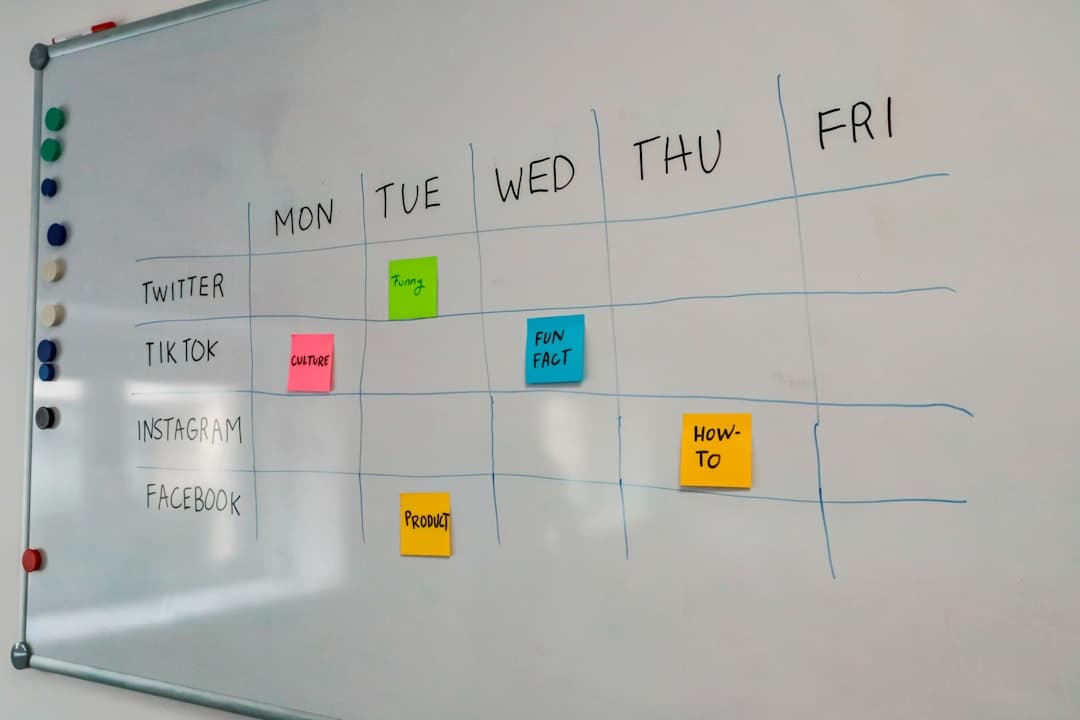
One set of tasks, many views: when to use kanban, list, calendar, or Gantt

Most teams pick a view once, usually kanban, and then stop thinking about it. The board becomes the project, and every question gets asked of the board whether the board can answer it or not. What is due this week, read off a kanban view, means scanning twenty cards for date badges. Which of these has to finish before the others can start, read off a kanban view, is not answerable at all. The tasks are fine. The lens is wrong for the question being asked.
Views are not decorations on top of a task list. Each one hides something in order to make something else obvious, and knowing what each one hides is the whole skill. This article goes through what each view is actually for, where the handoffs between them belong, and the plan limits that quietly decide how many views a small team is allowed to have.
A view is a question, not a layout
The same fifty tasks can be drawn as columns, rows, a month grid or a set of bars. Nothing about the data changes. What changes is which dimension gets the horizontal axis, and the horizontal axis is what the eye reads first.
A kanban view puts status on the horizontal axis. A calendar puts time on it. A Gantt view puts time on the horizontal axis too, but stacks tasks vertically so that overlap and sequence become visible. A list puts nothing on it and instead makes every field sortable, which is a different kind of answer.
That is why "which view is best" has no answer. The useful question is which dimension the team is currently arguing about. If the recurring argument is about who is waiting on whom, status is the axis. If it is about whether the launch date holds, time is.
The second thing worth naming early: a view is not a copy. In a tool built properly, switching from board to calendar is not exporting anything. It is the same tasks, redrawn. Changing a due date on the calendar changes it on the board. If a tool makes views feel like separate documents that need to be kept in sync, that is a defect, not a feature.
Kanban: the view that shows where work is stuck
A kanban view answers one question well, and it is not the question of what everyone is doing. It is where work stops moving.
Columns are stages, and the count of cards in a column is the signal. Three cards in To Do and eleven in Review is not a staffing problem at the front of the process. It is a reviewer problem at the back, and it is visible in a second without reading a single card title. No other view makes that obvious, because no other view groups by stage.
What it hides
Time. A kanban view shows a card is in progress. It does not show that it has been in progress for nineteen days, unless the tool draws an age indicator, and many do not. Boards where cards sit for weeks look identical to boards where everything moves daily. That is the single biggest blind spot and it is why teams that run on boards alone tend to discover slipped deadlines late.
It also hides dependency. A card in To Do that cannot start until another card finishes looks exactly like a card that could be picked up right now.
When it is the right default
Work that arrives continuously and moves through repeatable stages: support queues, content pipelines, recruiting, bug triage, sales stages. Anything where the stages are stable and the volume varies. For project work with a hard end date and a fixed scope, a board is a poor primary view even though it is the one most teams reach for first.
List and calendar: the two views most teams need next
These two get treated as minor, and they are usually the pair that removes the most friction.
List
A list view is a table. Every field is a column, every column sorts, and that is the entire value. The questions a list answers instantly are the ones a board cannot: show everything assigned to one person across all stages, sorted by due date. Show everything with no owner. Show everything overdue.
Lists also handle volume in a way boards do not. Two hundred cards on a board is unreadable. Two hundred rows in a sorted table is normal. When a board starts to need horizontal scrolling and collapsed columns to be usable, the work has outgrown the board view, not the tool.
The other underrated use is bulk editing. Reassigning fifteen tasks is fifteen drag operations on a board and one multi select on a list.
Calendar
A calendar puts tasks on the days they are due, in a month grid. Its value is almost entirely about load, not about tasks. A month with four deadlines clustered on the same Thursday is a problem that is invisible everywhere else and obvious here.
It is also the view non specialists read without training. A client, an executive or a contractor who will not learn a board will read a calendar, which makes it the natural thing to share outward.
What a calendar hides is everything without a date. Tasks with no due date simply do not appear, which means a calendar can look reassuringly empty while half the work sits undated.
Gantt: the view for order, not for effort
A Gantt view, sometimes labelled timeline, draws each task as a bar across a date axis. Its real subject is sequence and overlap.
Two questions make a Gantt view worth the setup cost. The first is whether the plan is physically possible: if six bars overlap in the same week and three of them belong to the same person, the plan is fiction and the picture says so. The second is what moves when something slips. Dragging one bar two weeks later and watching what shifts is a conversation that spreadsheets cannot have.
Where it goes wrong
Teams build a Gantt view, spend an afternoon on it, and never open it again, because maintaining bar positions by hand is work and nothing forces it to stay true. A Gantt view that is a month stale is worse than none, since it is confidently wrong.
The way to avoid that is to treat the Gantt view as a lens over the same tasks the team already updates, not as a separate planning document. If moving a due date on a card moves the bar, the view maintains itself. If the bars live in their own file, the view will rot.
When to skip it
Continuous work with no end date does not need one. A support queue has no critical path. Applying project planning machinery to flow work produces an impressive picture of nothing.
Which view answers which question
| Question the team is asking | View that answers it | What that view hides |
|---|---|---|
| Where does work pile up | Kanban | How long anything has been sitting |
| What is everyone working on | List, sorted by assignee | Stage at a glance |
| What is due this week | Calendar | Anything without a date |
| Is this month overloaded | Calendar | Effort, since a task is one cell either way |
| What has to finish before what | Gantt | Current status detail |
| Does the deadline still hold | Gantt | Who is free |
| What has no owner or no date | List, sorted by that field | Flow and sequence |
| Who is booked on which day and hour | Timetable or resource view | Longer term sequence |
The pattern is that three of these questions come up in almost every team, and a board answers one of them. That is the argument for having more than one view available rather than choosing the single best one.
Views are where pricing pages get interesting
This is the part that decides the question in practice, and it is rarely obvious from a feature list. Views are one of the most common upgrade triggers in project tools, because they are easy to gate and painful to live without.
Two examples, checked in September 2026. Trello's pricing page lists Board and List views on the Free plan, with Calendar, Timeline, Table and Dashboard views beginning on Premium at $10 per user per month billed annually or $12.50 billed monthly. Asana's pricing page lists Calendar view on the free Personal plan, with Timeline and Gantt views starting on Starter at $10.99 per user per month billed annually or $13.49 monthly, and describes Personal as supporting up to 2 users.
Neither of those is a criticism. They are normal commercial decisions and both tools are widely used. The point is that "does this tool have a Gantt view" and "does this team get a Gantt view at the price it intends to pay" are different questions, and only the second one matters. A five person team that discovers the calendar is behind an upgrade after three weeks of setup has lost those three weeks.
Two checks before committing. First, list the views the team will genuinely use, which for most teams is board, list and calendar, and confirm each one against the free tier or the tier the budget allows. Comparing that on specific tools rather than reading marketing pages is faster. Second, confirm the seat count where the free tier ends, since per user pricing turns a team of five crossing a line into a real recurring cost. A side by side read of a few pricing pages takes ten minutes.
Switching views without splitting the team
Having many views creates a new failure mode: different people looking at different lenses and reaching different conclusions.
The fix is to assign each view to a moment rather than to a person. The daily stand up runs on the board, because the question is what is stuck. The weekly planning session runs on the calendar or the Gantt view, because the question is whether the next three weeks are survivable. Individual work runs on a list filtered to one person. Nobody has a favourite view, because the view is chosen by the meeting.
The second rule is that one field must be non optional, and it is the due date. Every view except the board degrades without it. Calendars go empty, Gantt bars cannot be drawn, and list sorting becomes meaningless. A team that adopts multiple views and does not enforce dates will conclude that the extra views are useless, when the actual problem is missing data.
The third is to keep the number of columns on the board small. Boards tempt teams into modelling every substage, and a nine column board is a list view with extra steps. Anything past six columns is usually a sign that the detail belongs in a field that a list can sort on, not in a stage. Tools that offer several board types on the same set of tasks make that easy to test, since the same work can be redrawn without rebuilding anything.
What to change first
Take the question the team asked most often last week and check whether the current view can answer it in under five seconds. If it cannot, open the view that can and use it for that one meeting rather than restructuring anything. A tool where board, list, calendar and Gantt all sit on the same tasks from the free tier upward makes that a five second experiment instead of a project, and a short walkthrough of the view types is enough to run it, including in Pinateca.
Q1. Is a kanban view better than a list view?
Neither is better in general. A kanban view groups by stage, so it shows where work is piling up. A list view sorts by any field, so it answers questions about owners, dates and gaps. Teams that use both usually run stand ups on the board and individual work off a filtered list.
Q2. Why does the calendar view look empty when the board is full?
Because a calendar only draws tasks that have a due date. Cards without one exist on the board and appear nowhere on the calendar. An empty calendar next to a busy board almost always means dates are missing rather than that there is no work.
Q3. Do multiple views mean maintaining the data more than once?
Not in tools where views are lenses over the same tasks. Changing a date in the calendar changes it on the board and in the Gantt view, because there is one task underneath. If a tool requires re entering anything to populate a second view, the views are separate documents and will drift.
Q4. Which views are usually free and which require a paid plan?
It varies by tool and changes over time, so it has to be checked on the vendor's own pricing page. As of September 2026, Trello lists Board and List on its Free plan with Calendar and Timeline starting on Premium, while Asana lists Calendar on its free Personal plan with Timeline and Gantt starting on Starter.
Q5. How many columns should a kanban board have?
Usually four to six. Past that, the board stops being readable at a glance and the extra stages would be better expressed as a field that a list view can sort and filter on. A board with nine columns is generally a signal that stage is being used to store information that is not really a stage.