Using kanban for project management beyond a simple to-do list
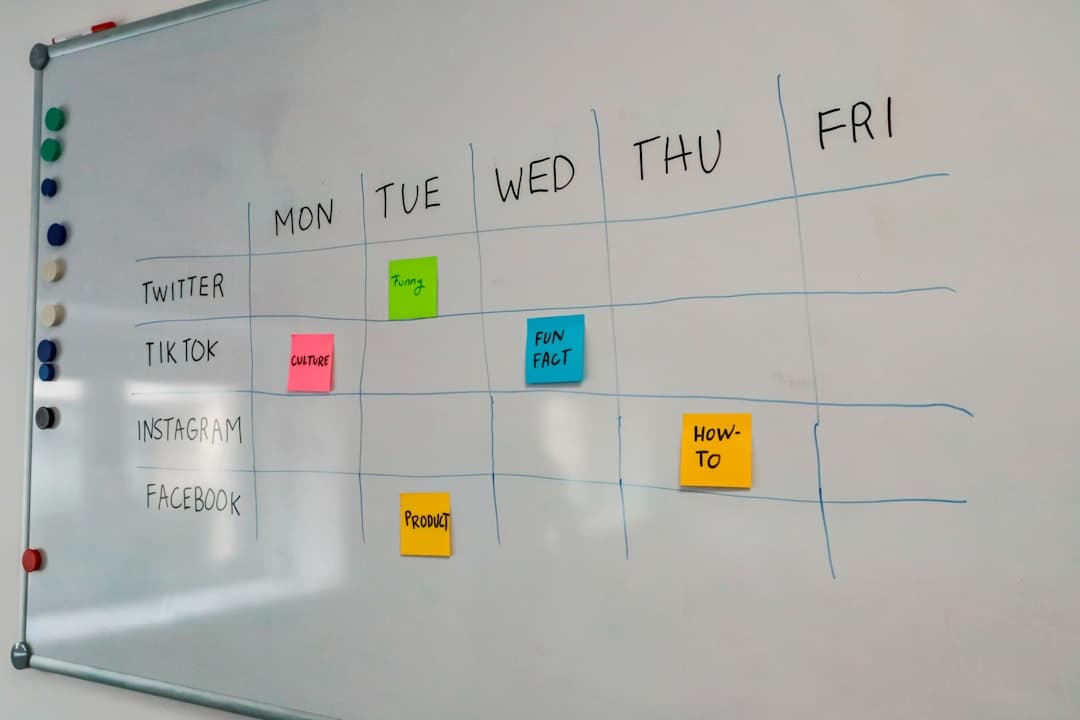
The team has a kanban board. Everyone adds cards, cards move to the right, and on most days it feels fine. Then a client asks whether the project will land by the end of the month, and nobody can answer from the board. It shows what is being worked on. It does not show whether the project is on track.
That gap is the difference between a kanban to-do list and kanban used for project management. The board itself is the same. What changes is what the team puts on it, how the columns are defined, and which questions the team expects the board to answer. This article walks through those changes for a small team running projects with real deadlines, real clients, and more work than people.
The questions a project board has to answer
A to-do list answers one question: what is left? A project needs answers to several more, and it helps to name them before redesigning anything.
Where is each piece of work right now?
This is the question kanban answers well by default. Columns show stage, cards show items, and a glance shows the distribution. If the board cannot answer this reliably, fix the basics first: every active piece of work has a card, and people move their own cards.
What is stuck, and why?
A card sitting in the same column for a week tells you something, but only if the board makes it visible. Project boards need an explicit way to show blocked work, whether that is a dedicated column, a label, or a flag, along with a short note saying what the card is waiting on.
Will the project finish on time?
This is where most kanban boards fall short. Columns do not show dates, and a card's position does not reveal that the three cards after it cannot start until it is done. Answering this question usually needs due dates on cards and some view of time.
Who is overloaded?
A project can be on schedule on paper while one person holds nine active cards. A board filtered by assignee, or a view that groups work by person, answers this.
What was decided, and where?
Six weeks into a project, someone asks why a feature was dropped. If the answer lives in a chat thread that scrolled away, the board has lost part of the project record.
A board that answers all five questions is a project management system. A board that answers only the first is a shared to-do list, which is still useful but should not be mistaken for more.
Designing columns around the project, not the person
Personal task boards often use columns like "Today", "This week", "Later". Those work for one person. For a project shared by several people, columns should describe the state of the work itself.
A workable project layout
For most small team projects, a layout along these lines holds up well:
| Column | What it means | Who acts next |
|---|---|---|
| Backlog | Agreed scope, not yet scheduled | Project lead decides when |
| Ready | Clear enough to start, dependencies met | Anyone with capacity |
| In progress | Someone is actively working on it | The assignee |
| Blocked | Cannot continue until something external happens | Whoever can unblock it |
| Review | Finished by the doer, being checked | The reviewer |
| Done | Accepted and delivered | Nobody |
The "Ready" column is the one teams most often skip, and the one that most improves projects. It forces a small check before work starts: is the task clear, and has everything it depends on been finished? Cards that cannot pass that check stay in the backlog, which prevents people starting work they will have to abandon.
Keep the backlog separate from the plan
A backlog with 200 cards is a list of possibilities. The columns from "Ready" onwards are the plan. Some teams keep the backlog on a separate board or a list view so the main board stays readable during daily check ins.
Use swimlanes or filters for multiple projects
When one team runs several client projects on one board, either split the board per project or use labels and filters to see one project at a time. A single board with mixed projects works for spotting who is overloaded, but makes it hard to answer whether any one project is on track.
Adding time to a board that does not show time
Kanban's strength is flow. Projects also have dates. Combining the two is the most important step in using kanban for project management.
Due dates on cards
The minimum is a due date on every card that has one. Many boards highlight cards that are due soon or overdue, which turns the board into a rough warning system. Sort columns by due date so that the most urgent work sits at the top.
Milestones as cards
Create a card for each milestone, such as "Design approved" or "Beta delivered", with its date. Link or reference the cards that must be done first. When a milestone card is in "Blocked" or its prerequisites are still in the backlog a week before the date, the risk is visible.
A timeline view of the same cards
Due dates tell you when each item is due. They do not tell you that a two day slip in one task pushes three others. A Gantt chart shows each card as a bar across time, which makes collisions and dependencies obvious. The practical question is whether this is the same data in another view, or a separate plan that someone has to keep in sync. Tools differ significantly here, and a separate plan tends to go out of date within weeks. The features page of any tool you consider should state which views exist over the same cards.
A calendar for fixed dates
Client meetings, launches, and reviews that happen on a fixed day fit a calendar view. Showing cards with due dates on a month view makes weeks where deadlines cluster easy to spot.
Managing workload with limits and visibility
Projects fail more often from too much work started than from too little effort. Kanban has two simple tools for this.
Work in progress limits
A limit on how many cards can sit in "In progress" or "Review" at once changes behaviour. When the column is full, the team finishes or unblocks something before starting anything new. For a small team, a reasonable starting limit for "In progress" is roughly the number of people, and for "Review" a smaller number, since reviews that pile up delay everything behind them.
If the tool has no built in limit, write the number in the column title and treat it as a team agreement. The discipline matters more than the enforcement.
Workload by person
Filter the board by each assignee once a week. Count active cards. If one person holds far more than others, the project has a single point of failure that the column view hides. A view with people down one side and dates across the other shows this faster than filtering one person at a time.
Blocked is a workload problem too
Blocked cards still occupy attention. People think about them, check on them, and chase replies. Reviewing the "Blocked" column at every check in, and assigning someone to unblock each card, stops them from quietly consuming the team's capacity.
Keeping decisions and conversation attached to the work
A project board that holds only task titles loses the reasoning behind the project. Over a few months, that becomes expensive.
Comments over side messages
When a question about a card comes up, ask it in the card's comments. The answer stays with the work, and anyone picking up the card later sees the history. Messages in a separate chat tool are faster in the moment and far slower when someone needs to find them again.
Descriptions as the source of truth
The card description should state what done looks like. When scope changes, update the description rather than adding a comment that contradicts it. Comments record the discussion, the description records the current agreement.
Chat that can point at cards
Some teams need real time conversation. When chat and the board live in the same tool, a message can reference a card directly and the discussion is easy to trace back. When they live in separate tools, agree on a habit: any decision reached in chat gets summarised in the card.
Activity history
An activity log showing who moved or changed a card and when resolves many arguments before they start. It also makes weekly reviews quicker, since the team can see what actually moved rather than relying on memory.
A weekly rhythm that keeps the board honest
A board used for project management needs a small, regular routine. Without one, it slowly drifts away from reality.
Daily: a short look at the board
A ten minute check in, standing or on a call, walking the board from right to left. Start with what is closest to done, then blocked cards, then in progress. Anyone whose cards have not moved says why. The goal is not status reporting. It is catching stuck work early.
Weekly: planning and risk
Once a week, move cards from the backlog into "Ready" for the coming week, check milestones against the timeline, and review workload by person. This is also the moment to raise any risk to the client, while there is still time to adjust.
Reporting progress to clients
Clients rarely want to see the board itself. They want to know three things: what was finished since the last update, what is at risk, and whether anything is waiting on them. A board set up as described above makes this report quick to write. Finished work is whatever moved to "Done" this week. Risk is whatever sits in "Blocked" or is overdue against a milestone. Items waiting on the client are the blocked cards whose note names them. Some teams go further and give the client guest access to a single board or workspace, limited to viewing and commenting. That removes the weekly report entirely, but only works if card titles and comments are written in a way the client can read without context. If the team would need to rewrite cards before a client sees them, send a short written summary instead and keep the board internal.
Monthly: adjust the board itself
Once a month, look at where cards pile up and which columns cards skip. Adjust one thing at a time. The board should change as the team learns how its projects actually move.
For teams bringing an existing board into a new tool as part of this change, an import from Trello keeps cards, comments, and checklists so the project history is not lost.
What to change first
Add a "Ready" column and a "Blocked" column to your current board, put due dates on every card that has one, and start a ten minute daily walk of the board from right to left. Once those habits hold, add a timeline view of the same cards for projects with dependent deadlines. Pinateca includes kanban and Gantt views of the same cards on its free plan for up to 5 people.
Q1. Is kanban suitable for projects with fixed deadlines?
Yes, if the board includes due dates and the team also looks at the work over time. Kanban on its own shows flow well but hides dependencies between dates. Pairing the board with a timeline or calendar view of the same cards covers that gap.
Q2. What is the difference between a kanban board and a Gantt chart for project management?
A kanban board shows the stage each task is in. A Gantt chart shows when each task happens and how tasks overlap or depend on each other. Many teams use the board day to day and the chart for planning and client updates.
Q3. How do you track multiple projects on one kanban board?
Use labels or a project field on each card, then filter by project when reviewing progress. If projects have very different workflows or clients, separate boards are usually easier to read. A combined board is most useful for spotting overloaded people across projects.
Q4. What should a work in progress limit be for a small team?
A common starting point is roughly one card in progress per person, with a smaller limit on review. Adjust after two weeks based on where cards pile up. The number matters less than the habit of finishing before starting.
Q5. Do you need a separate tool for project documentation?
Not always. Card descriptions, attachments, and comment threads can hold most project decisions for a small team. A separate document tool helps for long specifications, but link those documents from the relevant cards so they stay connected to the work.