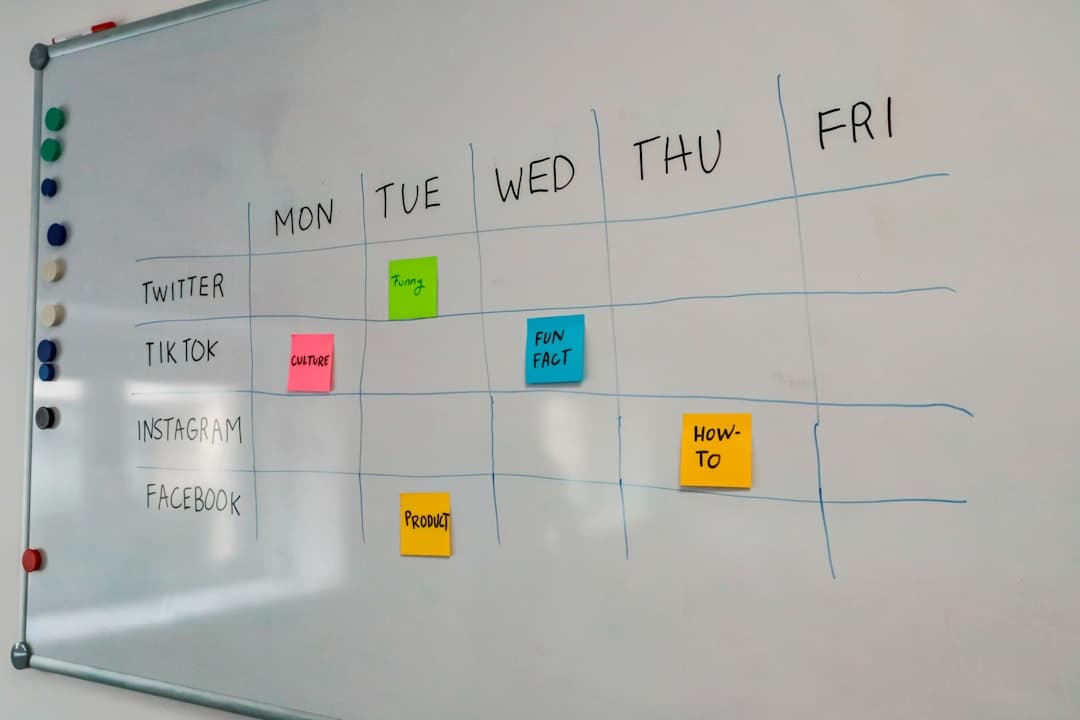
Designing a kanban workflow: columns, WIP limits, and where work gets stuck

Most teams set up a kanban board in about ten minutes. Three columns, a handful of cards, and everyone agrees it looks better than the spreadsheet. The trouble starts around week four, when the middle column has fourteen cards in it, the stand-up has turned into a status report, and things are still shipping at the same speed they did before the board existed. The board is accurate. It is just not changing anything.
That gap is a workflow design problem. A kanban board only improves throughput when the columns describe how work actually moves, when the limits on each column are real, and when the team looks at where cards wait rather than at who is busy. This article covers how to design those columns, how to set limits that hold, and how to read a board that has stalled.
Start from how work moves, not from a template
The default columns in every tool are To Do, Doing, Done. They are a reasonable placeholder and a poor description of any real team's work. Designing the actual workflow means watching one finished piece of work and writing down every distinct state it passed through.
Map one real item end to end
Take something the team shipped last month. Write the stages it went through, in order, including the ones nobody talks about: waiting for a decision, waiting for content, sitting in someone's inbox for review, waiting for a release window. Most teams are surprised at how many stages exist and how many of them are waiting rather than working.
Separate doing from waiting
This is the single most useful distinction in kanban. A card in "In progress" that is actually waiting for a client's approval is lying to the board. Either the waiting state gets its own column, or it gets a clear marker on the card. If those cards stay hidden inside the working columns, the board shows a team that looks fully loaded when half the load is not moving at all.
Cover the whole path, including the parts outside the team
Work usually starts before the team sees it and ends after the team is finished. If requests arrive through three different channels and get triaged by one person, that triage is a stage. If everything waits for a Thursday deploy, that wait is a stage. Leaving those out makes the board look faster than reality, and the difference shows up as missed dates that nobody can explain.
Then cut it back
A workflow map often produces ten or twelve stages. That is the right starting point for understanding and the wrong number of columns. Merge the stages where a card never actually waits, and keep a column only where a card changes hands or changes owner. Most small teams land on five to seven columns.
Choosing the columns
Columns are the vocabulary the team will use every day for the next year. A few decisions at the start save a lot of renaming later.
Every column should answer "who is it waiting on"
The clearest boards are the ones where the column tells you who has the ball. Ready for review means it is waiting on a reviewer. Blocked means it is waiting on someone outside. In progress means it is waiting on the assignee. Columns that describe a type of work rather than a state, such as "Design" and "Development", stop working as soon as one card needs both.
Split columns into doing and done when hand-offs are slow
A common and effective pattern is to split a stage into two parts: the work, and the finished work waiting to be picked up. "In review" and "Reviewed, ready to merge" are different states, and only the second one shows a queue building. If review hand-offs regularly take a day or more, splitting the column makes the delay visible instead of leaving it buried.
Name the columns in the team's own language
If everyone says "with the client", do not name the column "External stakeholder approval". Boards get updated when the words on them are the words people already use.
Comparison of common column setups
| Setup | Columns | Fits | Main weakness |
|---|---|---|---|
| Minimal | To do, Doing, Done | Two or three people, one type of work | Hides every wait state |
| Review split | To do, Doing, In review, Done | Teams where work is checked before it ships | Blocked work still looks active |
| Queue aware | Backlog, Ready, Doing, Ready for review, In review, Done | Most small teams | More columns to keep tidy |
| Request driven | Inbox, Triaged, Doing, Waiting on requester, Done | Support and client work | Needs someone owning the inbox |
WIP limits, and why they are the part that gets skipped
Work in progress limits are the mechanism that makes kanban do anything. Without them a board is a nicer looking to do list. With them, the team is forced to finish work before starting more, which is the entire point.
Start from what is already happening
Count how many cards are genuinely in progress right now. If five people have eleven cards between them, the honest starting limit is around eleven, not four. Setting a limit far below current reality produces a board everyone immediately breaks and then ignores. Set it at today's number, then lower it by one and hold it for two weeks.
Limit the column, not the person
Per person limits sound fair and do not work, because they hide queues. If the review column holds nine cards, it does not matter that no single reviewer has more than two. The column is the constraint, and limiting the column is what makes the team deal with it.
Make the limit visible and make breaking it a decision
A limit that lives in a document is not a limit. Put the number in the column name so it sits next to the cards, and agree what happens when it is hit: the team stops starting new work in that column and helps clear it. Breaking the limit is allowed as long as it is a conscious choice that gets said out loud, because that is the moment the team learns something about where the constraint is.
Expect the first month to feel worse
When limits start holding, some people will have nothing to start. That feels like waste and is actually the system working. Idle capacity at one stage is cheaper than a pile of unfinished work at another, and the usual outcome is that those people move to help clear the blocked column, which is exactly what should happen.
Reading a board that has stalled
Once the workflow is set up, the board becomes a diagnostic tool. Three patterns cover most of what goes wrong.
A column that keeps filling up
If one column steadily accumulates cards while the ones on either side stay thin, that column is the bottleneck. Adding people upstream makes it worse. The options are to add capacity at that stage, reduce what arrives at it, or change what happens there. Reviews are the most common bottleneck in small teams, and the cheapest fix is usually a rule about how fast a review has to start rather than adding reviewers.
Cards that age in place
Age is more informative than count. A column with four cards that all arrived today is healthy. A column with four cards where one arrived three weeks ago is not. Whatever tool the board lives in, find a way to see how long a card has been in its current column, even if it means writing the date on the card by hand.
Everything moves except the last column
If cards reach "Ready to ship" and stay there, the constraint is outside the team: a release window, an approval, a client. That is worth naming explicitly rather than treating as a team performance problem, because no amount of WIP limits inside the team will change it.
The board is fine and the work is still late
Sometimes the columns are honest, the limits hold, cards move steadily, and the team still misses the dates it promised. That is not a flow problem. It usually means work is being pulled in faster than it is finishing, and the board is showing a steady flow only because the backlog absorbs the difference invisibly. The check is simple: count the cards that entered the first working column over the last four weeks, and count the cards that reached done in the same period. If the first number is consistently larger, the queue is growing no matter how good the columns look, and the fix is upstream of the board. Either fewer things start, or something has to be taken off the list on purpose rather than by default.
Where dates come back in
Kanban deliberately downplays dates in favour of flow, which works until someone outside the team asks when something will be finished. The practical answer is to keep the board as the day to day view and use a timeline or calendar view of the same work for the conversations that are about dates. Tools differ a lot in whether those views share the same underlying cards or require maintaining a second plan, and it is worth checking before committing, which the features overview sets out for this kind of tool.
Rolling out a change without stalling the team
Workflow changes fail most often in the rollout, not in the design.
Change one thing at a time
New columns and new limits introduced together make it impossible to tell which change helped. Add the columns first, live with them for two weeks, then introduce limits.
Move the existing cards, do not restart
Restarting the board with a clean slate loses the history that makes the new setup readable. Move the live cards into the new columns even if the fit is rough for a few days.
Set a review date at the start
Put a date two weeks out in the calendar to look at the board itself rather than the work on it. Ask three questions: which column is oldest, which limit was broken most often, and which column nobody used. Adjust one thing, then wait again.
Watch for the board and the truth drifting apart
The failure mode is not a bad workflow. It is a workflow that stopped matching what people do, with the real status living in chat and the board updated on Friday afternoons. If the board is being updated as a report rather than used as a working surface, the columns are wrong, not the people. Boards that sit next to the team's conversation tend to drift less, because updating a card and talking about it are not two separate destinations. If the current setup is being outgrown, the comparison pages lay out how different tools handle this.
What to change first
Take one finished piece of work from last month, write down every stage it passed through, and count how many of those stages were waiting rather than working. Turn the biggest wait into its own column this week, and put a number in the column name for the stage that currently holds the most cards. If the board needs to live somewhere else to make that possible, Pinateca is free for up to 5 people and 10 boards.
Q1. How many columns should a kanban board have?
For a small team, five to seven usually works. Fewer than that hides the stages where work waits, and more than that turns into columns holding one card each, which are really labels. The test for keeping a column is whether a card ever genuinely waits in it before someone else picks it up.
Q2. What is a good WIP limit to start with?
Start with the number of cards the team currently has in progress rather than a theoretical ideal, then lower it by one and hold that for two weeks. A limit set far below current practice gets broken on the first day and then ignored, which is worse than having no limit at all.
Q3. Should blocked work have its own column?
It helps when work is regularly blocked by people outside the team, because a blocked card sitting in the in progress column makes the team look busier than it is. If blocking is rare, a clear label plus the date the block started is enough, as long as the board makes that visible without opening the card.
Q4. How is a kanban workflow different from a sprint?
A sprint is a fixed window of time with a fixed set of work committed at the start. A kanban workflow has no window: work is pulled in when there is capacity, and limits on each column control how much is in flight. Teams with unpredictable incoming work usually find the second easier to sustain.
Q5. How do you know if a kanban workflow is working?
Watch how long cards take to get from the first working column to done, and whether that time is going down. Card counts and how busy people look are poor signals, because both can rise while nothing finishes any faster. If nobody knows how long a typical card takes, that is the first measurement to start collecting.